

Publishing Destinations offer you the ability to publish release data for a revision of a PCB Fabrication Data Item, PCB Assembly Data Item, or PCB Project Design Item, directly from a Workspace, or Output Job, to a storage space – such as Box.com, Amazon S3, an FTP server, or a simple folder location on a shared network. This enables you to host generated release data securely, while providing…
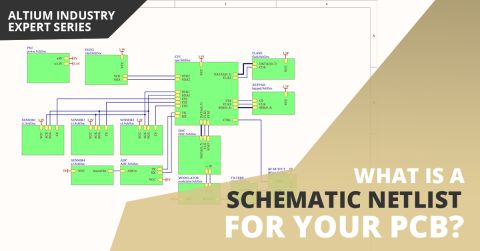
Parent page: More about Schematics Related Resources Creating Connectivity Compiling and Verifying the Design Design Synchronization When schematics were originally captured on paper, it was often on a single sheet of paper large enough to fill a big drafting table, and reproduced by a dedicated large-format copier. Times have changed, now schematics are captured on a desktop PC, stored on a…
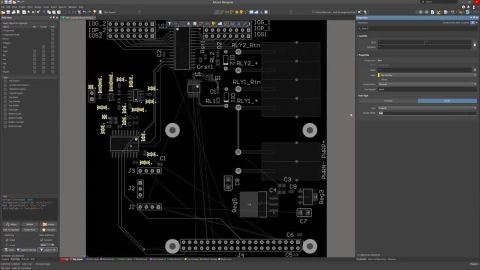
Electronic design is the process of capturing a logical design in the schematic, then representing that design as a set of objects in the PCB workspace. Even for a small circuit, the schematic can include many components, each with numerous models and parameters, and the PCB workspace can also contain a large number of design objects that make up the board. During the course of the design process…
The design rules of the Manufacturing category are described below. The Manufacturing category of design rules. Done - 26.6, at Beta release: disable Beta and Altium employee for the conditional box above, enable Beta and Altium employee for the conditional box below. 26.10, at the Public release (PCB.Rules.RuleSets is out of Closed Beta): delete the conditional box and the content above, remove…
The design rules of the Testpoint category are described below. The Testpoint category of design rules. Done - 26.6, at Beta release: disable Beta and Altium employee for the conditional box above, enable Beta and Altium employee for the conditional box below. 26.10, at the Public release (PCB.Rules.RuleSets is out of Closed Beta): delete the conditional box and the content above, remove the box…
The design rules of the Plane category are described below. The Plane category of design rules. Done - 26.6, at Beta release: disable Beta and Altium employee for the conditional box above, enable Beta and Altium employee for the conditional box below. 26.10, at the Public release (PCB.Rules.RuleSets is out of Closed Beta): delete the conditional box and the content above, remove the box below,…
The design rules of the SMT category are described below. The SMT category of design rules. Done - 26.6, at Beta release: disable Beta and Altium employee for the conditional box above, enable Beta and Altium employee for the conditional box below. 26.10, at the Public release (PCB.Rules.RuleSets is out of Closed Beta): delete the conditional box and the content above, remove the box below, leave…
Altium's MCAD CoDesigner technology connects the mechanical and electrical design domains, allowing the mechanical and electronic engineers to pass the loaded PCB back and forth between the two domains. In your Altium design software, this is achieved through an extension that loads and extracts board and component data from the PCB editor, the MCAD CoDesigner extension. In the MCAD software the…
Supported MCAD Software The following MCAD platforms and versions are currently supported: Autodesk Inventor Professional® Autodesk Fusion® (Microsoft Windows version only. Autodesk Fusion Personal license only supported by Altium CircuitMaker) Dassault Systemes SOLIDWORKS® (Standard, Pro & Premium) PTC Creo Parametric® Siemens® NX™ - (for designers with an Altium Enterprise Solution) For details…
When UI.ModernDesignReusePanel is in the Public state - update the blue box below with the source code of the 'Open Beta Feature Moves to Public' snippet. The Design Reuse panel that is used to manage reuse blocks and described on this page is in Open Beta and available when the UI.ModernDesignReusePanel option is enabled in the Advanced Settings dialog. When this option is disabled, the previous…
Learn More