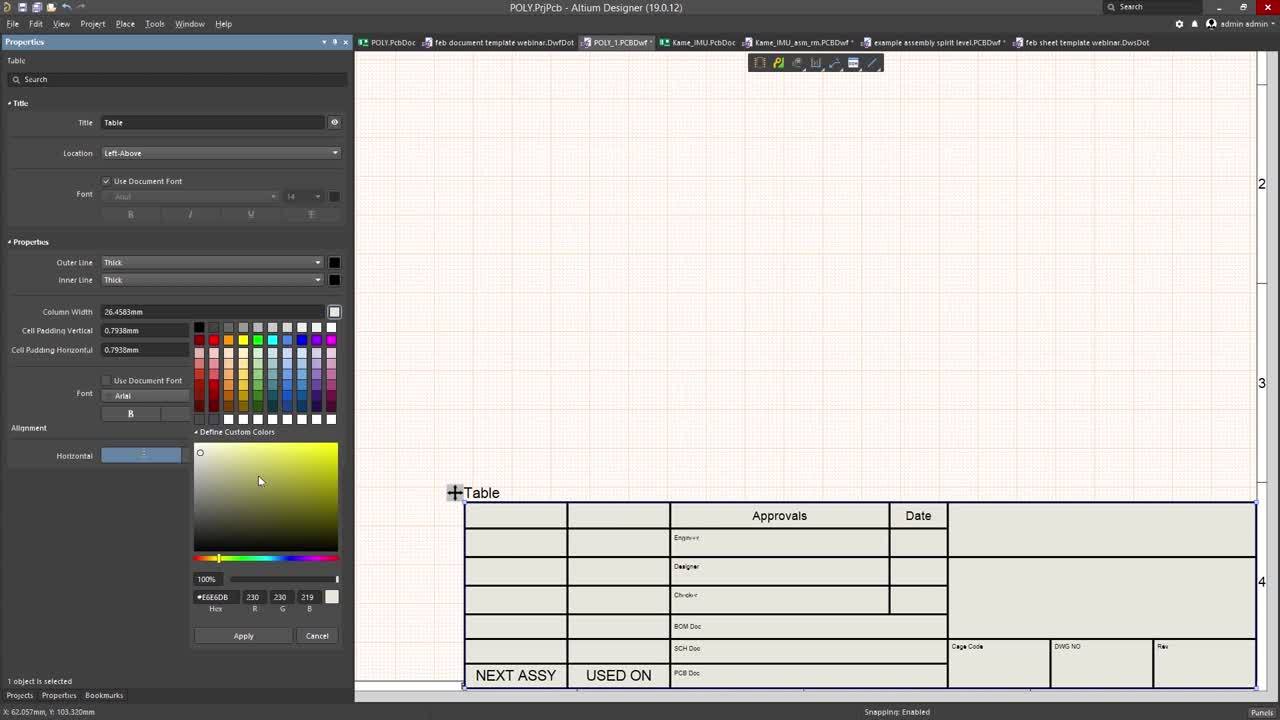

Knowing how to make title blocks is necessary for your documentation. Learn the fast way of creating title blocks with this video.
Depending on your relationship with Altium, the services offered on the Altium Platform will be experienced from within Altium Designer and through the platform's browser-based interface. This page takes a look at the latter and provides an overview of what you'll see when you register an Altium Account and sign in to the Altium Platform Interface. For the latest information on the security,…
The project Design Reviews page is the central location for all project stakeholders to perform and manage structured reviews of a Workspace design project. The interface allows the creation, access and management of Design Review instances by any Workspace member, which in turn can be assigned to other Workspace members as Reviewers. The Design Review creator (the ‘Initiator) can add attachments…
Altium Designer, in conjunction with the Altium 365 Workspace, brings support for an advanced project construct that targets the development stage of the project lifecycle, simplifying the creation and ongoing workflow for version-controlled projects. Centralized storage under the control of the Workspace also enables this feature to be a foundation for other collaborative services. Some key…
Content structure and access management for a Workspace can be performed from both the Admin – Explorer page (by an Administrator) or the main Projects page (by a Workspace member with sufficient rights). The commands and features on these pages allow you to: Browse the folders and Items within the Workspace. You are able to create, edit and remove folders and so build the structure of the…
Altium facilitates the ability for an organization to copy the content they need from a source server, and deliver it to a second target server – a process referred to simply as Server Data Acquisition. This allows you, for example, to quickly obtain data from your Workspace (hosted on the Altium 365 infrastructure platform) and deliver it to your on-site server. By acquiring design content,…
For additional answers to the questions you may have in relation to Altium 365, take a look at the Altium Knowledge Base, whose content is curated based on support questions fielded each and every day. General How is my design data protected on Altium 365? Please visit the Altium 365 Trust Center, which connects you to the latest information on the security, reliability, privacy, and compliance…
New users can be added for access to your Workspace – inviting them to be members of the team – in a number of ways. You are able to invite: Other Altium Account users from within your own organization. Altium Account users from different organizations. Users without an Altium Account (who will need to then register for an Altium Account). Altium Account users from different organizations also…
The Workspace gives you convenient access for browsing all of the managed components that are currently stored within that Workspace. Accessible through the Workspace browser interface (a constituent part of the parent Altium 365 Platform Interface) not only can you quickly see what (and how many) components you currently have at your disposal, but you can also view a summary of the health of…
Altium facilitates the ability for an organization to copy the content they need from a source Workspace, and deliver it to a second target Workspace – a process referred to simply as Workspace Data Acquisition. By acquiring design content, ownership is placed firmly in the hands of the receiving Workspace team, who are free to make modifications and maintain the content – in their Workspace – as…
User Management for a Workspace is performed by an Administrator through the Team and Admin areas of that Workspace's browser interface. This provides the interface to the Identity Service (IDS), with which to define applicable service access, through the specification of Users (Members) and Groups. An MCAD user can be invited to be a Team member from within Altium Designer, too. For more…
Get Started