Skip to main content
Mobile menu
Altium Develop
资源 & 支持中心
Altium 365 免费工具
Gerber Compare
在线 PCB 查看器
了解产品
下载
联系我们
关注微信
扫描二维码
关注Altium微信平台
资源 & 支持中心
所有资源
支持中心
文档
官方直播
Altium 社群
社群
Bug提交
创意
教育
学生实验室
教育者中心
Altium 教育课程
Search Open
Search
Search Close
登录
Home
Main menu
首页
PCB设计
团队协作
元器件创建
PCB数据管理
PCB设计输出和文档
ECAD/MCAD
HDI设计
高速设计
多板设计
PCB布局
PCB布线
PCB供应链
电源完整性
RF设计
刚柔结合板PCB设计
原理图输入
信号完整性
PCB设计仿真/分析
软件
Develop
Discover
Agile
Altium的365
Altium Designer的
资源中心
项目
Altium Academy
工程新闻
指南书
新闻通讯
播客
项目
培训课程
网络研讨会
白皮书
Overview
All Content
CoDesign and CoEngineering (ECAD/MCAD Collaboration)
Component Management and Libraries
Data Management and Version Control
Manufacturing Outputs and Compliance
PCB Design and Layout
Supply Chain and Component Sourcing
Systems and Product Design
Filter
清除
Role
全部
ECAD 库管理员
电气工程师
工程经理
IT 经理
机械设计工程师
PCB 设计工程师
采购经理
软件工程师
Software
全部
开发
敏捷
Altium Designer
Altium 365
Assembly Assistant
BOM Portal
PLM集成
GovCloud
Jira Integration
Octopart
Requirements Portal
Content Type
全部
指南
网络研讨会
视频
播客
白皮书
Region
全部
37:50
8x Faster Assembly per Board with Assembly Assistant
2 min
Webinars
Production Managers
Watch the webinar recording and learn how Assembly Assistant can help you achieve substantial time and cost savings and reduce the likelihood of errors.
阅读文章
Sales, Marketing, and the PCB Industry
40 min
OnTrack
PCB 设计工程师
In this episode, Dan Beaulieu, founder and owner of Db Management Group shares the PCB industry's broad marketing trends including how it's stuck in the past, the declining trade show industry, how sales reps can stay relevant, and much more.
阅读文章
探索Octopart强大的搜索过滤器
1 min
What's New
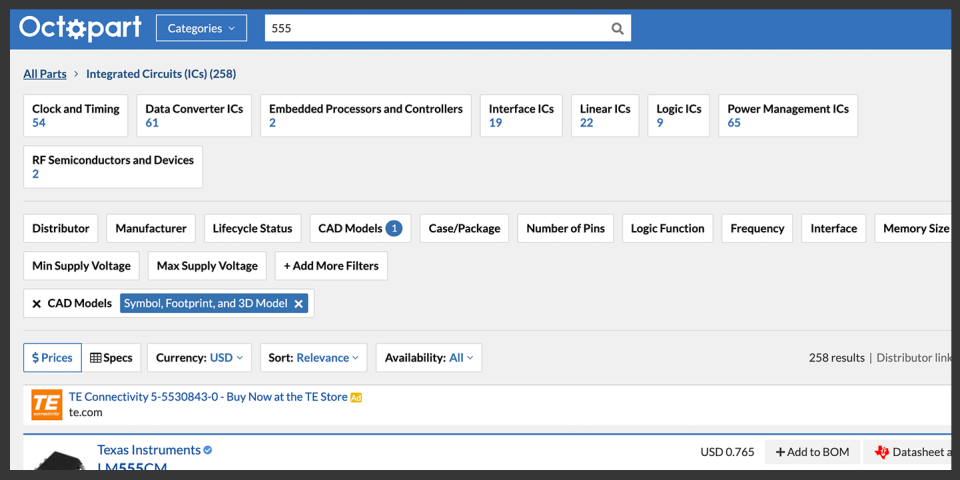
您可能会注意到我们的搜索结果页面偶尔有所不同:我们的过滤器会定期重新设计,以提高可用性并使其更直观。以下是我们当前搜索视图和过滤器的概述。 两种视图可供选择:价格视图和规格视图 每当您在 Octopart 上进行搜索时,您将被带到两种搜索结果视图之一:价格视图或规格视图。见图1和图2。在每种视图的页面顶部,您将看到可选择的部件子类别的文本链接。页面右上角还有一个“显示过滤器”选择按钮,通常默认为关闭。您可以通过点击相应的标签在价格视图和规格视图之间切换。 图1 - 价格与可用性(价格)视图,显示过滤器关闭 图2 - 部件规格(规格)视图,显示过滤器关闭 在规格视图中,您将看到一个网格,显示与每个产品相关的相关规格和其他信息,包括市场、供应链、物理和技术数据。见图2。确保查看产品规格网格的底部,并使用水平滚动条查看所有部件规格。 强大的详细过滤器 当屏幕右上角的“显示过滤器”按钮选为开启时,您将看到一系列详细的参数过滤器,位于产品子类别过滤器的顶部行下方。这些过滤器将包括参数,如分销商、制造商、RoHS合规性、最大和最小操作温度等。见图3。 图3 - 部件规格(规格)视图,显示过滤器切换为开启 显示的参数过滤器选项将基于您的搜索结果。例如,如果您正在寻找一个电容器,您可能不关心过滤器上的引脚数量,因此您不会看到该过滤器。 通过从这些参数中选择,您可以快速深入查找仅满足您确切要求的部件。见图4,查看一个简单的示例搜索操作。 图
阅读文章
Edgewater Research: Electronics Supply Chain Weekly Digest 10-06-23
5 min
Engineering News
Important Disclosures in the Appendix A weekly collection of news summaries, survey results and channel insights, and report summaries from
阅读文章
Edgewater Research: Component Insights – September 2023
3 min
Engineering News
Important Disclosures in the Appendix Inventory Overhang Remains Persistent and Burn Progressing Slower than Expected, Arrow Appears to be Losing
阅读文章
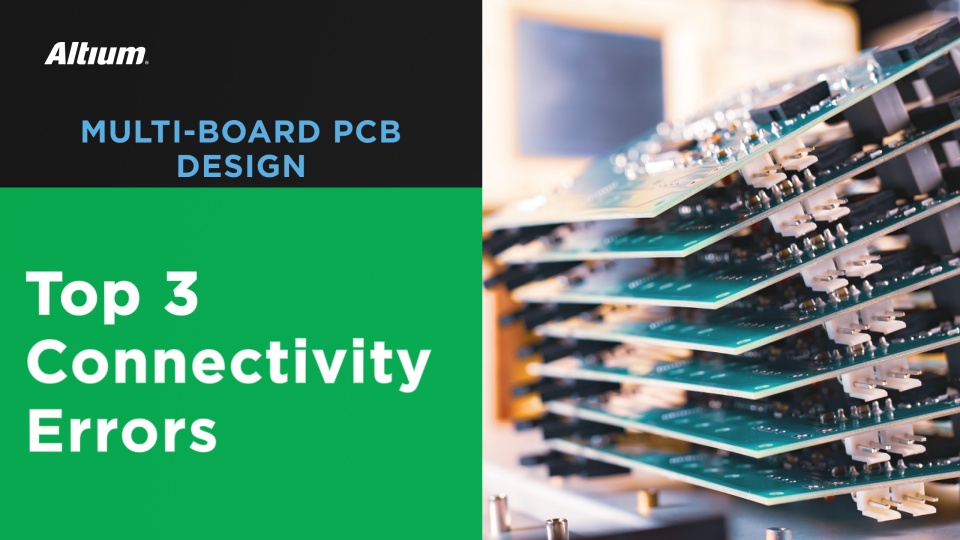
多板PCB连接的前3大错误
1 min
Blog
PCB 设计工程师
电气工程师
机械设计工程师
多板PCB设计错误几乎总是与板与板之间的某些连接元素有关。以下是如何修复它们。
阅读文章
Making the USA the Safest Country in the World, One Autonomous Deployment at a Time
2 min
Podcasts
In this episode of the Ctrl+Listen podcast, Autonomous Security Robots, AI & Knightscope, host James Sweetlove sits down with William
阅读文章
Pagination
First page
« First
Previous page
‹‹
页面
148
当前页面
149
页面
150
页面
151
页面
152
页面
153
Next page
››
Last page
Last »














 沪公网安备 31010502006411号