Skip to main content
Mobile menu
Altium Develop
资源 & 支持中心
Altium 365 免费工具
Gerber Compare
在线 PCB 查看器
了解产品
下载
联系我们
关注微信
扫描二维码
关注Altium微信平台
资源 & 支持中心
所有资源
支持中心
文档
官方直播
Altium 社群
社群
Bug提交
创意
教育
学生实验室
教育者中心
Altium 教育课程
Search Open
Search
Search Close
登录
Home
Main menu
首页
PCB设计
团队协作
元器件创建
PCB数据管理
PCB设计输出和文档
ECAD/MCAD
HDI设计
高速设计
多板设计
PCB布局
PCB布线
PCB供应链
电源完整性
RF设计
刚柔结合板PCB设计
原理图输入
信号完整性
PCB设计仿真/分析
软件
Develop
Discover
Agile
Altium的365
Altium Designer的
资源中心
项目
Altium Academy
工程新闻
指南书
新闻通讯
播客
项目
培训课程
网络研讨会
白皮书
Overview
All Content
CoDesign and CoEngineering (ECAD/MCAD Collaboration)
Component Management and Libraries
Data Management and Version Control
Manufacturing Outputs and Compliance
PCB Design and Layout
Supply Chain and Component Sourcing
Systems and Product Design
Filter
清除
Role
全部
ECAD 库管理员
电气工程师
工程经理
IT 经理
机械设计工程师
PCB 设计工程师
采购经理
软件工程师
Software
全部
开发
敏捷
Altium Designer
Altium 365
Assembly Assistant
BOM Portal
Cloud PLM Connector
PLM集成
GovCloud
Jira Integration
Octopart
Requirements Portal
Content Type
全部
指南
网络研讨会
视频
播客
白皮书
Region
全部
Via-in-Pad in Rigid-Flex Designs: When Space Is Tight, Details Matter
7 min
Blog
PCB 设计工程师
Manufacturing Engineers
When space is tight, via-in-pad in rigid-flex demands filled vias, clean stackups, and stress control. Learn when to use VIP and when to skip it.
阅读文章
Wearable Electronics: Innovations, Challenges & Future Trends
2 min
Whitepapers
Systems Engineers/Architects
电气工程师
PCB 设计工程师
Wearable electronics decoded: key breakthroughs, power solutions, and trends driving smarter, safer, always-connected devices across industries.
阅读文章
Cost Optimization Strategies for Industrial Electronics BOMs
12 min
Blog
采购经理
工程经理
Optimize industrial electronics BOMs. Standardize parts, design for sourcing, manage alternates, and lock in supplier savings with data-driven, cross-functional workflows.
阅读文章
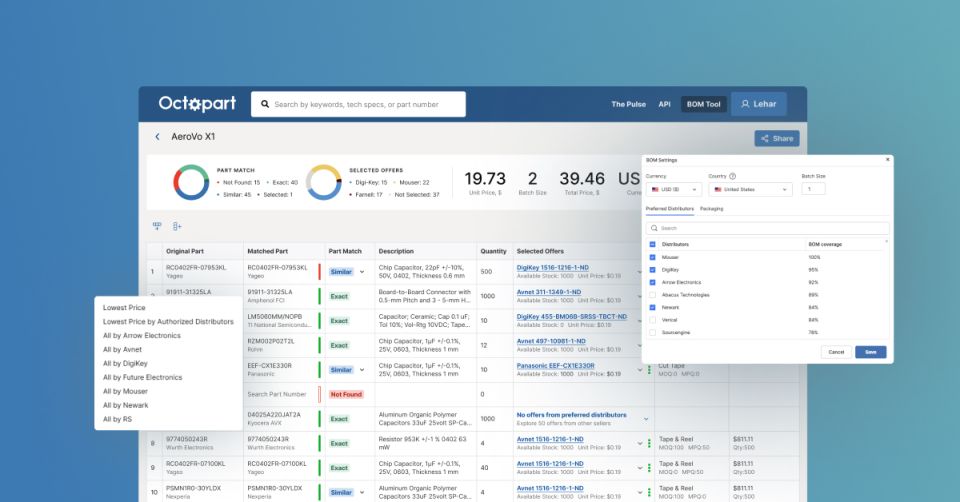
How to Get the Best Component Pricing with Octopart BOM Tool
4 min
Products Hub
采购经理
PCB 设计工程师
电气工程师
Learn how to use Octopart’s BOM Tool to find the best component prices, compare suppliers, and simplify your sourcing workflow.
阅读文章
From Block Diagram to Schematic in Minutes
1 min
Podcasts
Discover how Circuit Mind is revolutionizing electronic design with AI-powered automation that transforms block diagrams into fully functional schematics in
阅读文章
Streamlining Component Selection for Long Product Lifecycles
14 min
Blog
采购经理
Simplify component selection for long product lifecycles. Use lifecycle intelligence and alternate sourcing to ensure lasting design reliability.
阅读文章
Bridging the Supply Chain with Intelligent BOM Management
3 min
Sponsored
采购经理
Product Managers
Intelligent BOM management connects design, supply, and sourcing data to reduce costs, prevent shortages, and boost supply chain transparency and resilience.
阅读文章
Pagination
First page
« First
Previous page
‹‹
Page
31
当前页面
32
Page
33
Page
34
Page
35
Page
36
Next page
››
Last page
Last »












 沪公网安备 31010502006411号