
Mobile menu
产品
Altium Designer
广泛使用的PCB设计解决方案
Altium 365
基于云原生架构的电子产品研发协同平台
For Parts and Data
大量简单易用的元器件数据库
Altium Develop
资源 & 支持中心
Altium 365 免费工具
Gerber Compare
在线 PCB 查看器
了解产品
下载
联系我们
关注微信
扫描二维码
关注Altium微信平台
资源 & 支持中心
博客
支持中心
文档
Altium Community
社群
Bug提交
创意
教育项目
专业培训/认证
大学/学院学生
大学/学院教育工作者
资源中心
Education
Student Lab
Educator Center
Altium Education Curriculum
Search Open
Search
Search Close
帮助
白皮书
Main Chinese menu
首页
PCB设计
团队协作
元器件创建
PCB数据管理
PCB设计输出和文档
ECAD/MCAD
HDI设计
高速设计
多板设计
PCB布局
PCB布线
PCB供应链
电源完整性
RF设计
刚柔结合板PCB设计
原理图输入
信号完整性
PCB设计仿真/分析
软件
Altium Designer的
资源中心
工程新闻
指南书
网络研讨会
首页
白皮书
Modern User Interface
已创建:November 13, 2019
已更新:March 20, 2020
下载PDF
下载PDF
Explore Altium Develop
Explore Altium Agile
Ask an Expert
相关资源
The Breadth and Depth of Your PCB Design Workflow
The routing process remains the most time-consuming layout task, Altium Designer interactive routing technology makes design dense board layouts much easier. Modern printed circuit boards must address a broad set of technology challenges. PCB design software needs to include tools that help design engineers stay productive while ensuring new designs are fully manufacturable. Designers that create advanced technology rely on interactive routing
阅读文章
Multi-Channel Design with a Flat Project
This paper will show you how to easily replicate circuitry for multi-channel design applications using Altium Designer PCB design software. You can save yourself plenty of time by reusing existing functional blocks in your PCB, but design reuse is difficult without the right schematic editor. Each schematic you create for your board contains blocks of circuitry that can be connected together, and multi-channel design makes it easy to reuse
阅读文章
Three Ways To Simplify Output Generation Using Altium Designer
Many of the delays involved with the PCB design to Manufacturing process can be avoided with accurate data and documented notes for fabrication and assembly. In addition, easily reproducing the required data can be a huge time saver for communication between PCB designer and fabricator. The Output Job Configuration file available in Altium Designer can provide a suitable solution for controlling and ultimately simplifying the output generation of
阅读文章
5 Tips for Specifying PCB Hole Size Tolerance
Learn how to quickly add and clearly communicate hole size tolerance specifications to your fabricator to ensure your PCB design is manufactured properly. One of the more forgotten topics in PCB design are the holes through which components are mounted. Specifying the tolerance of hole dimensions in PCB fabrication ensures proper fit of plated-through-hole (PTH) components. Just as important, those dimensions must be clearly communicated to the
阅读文章
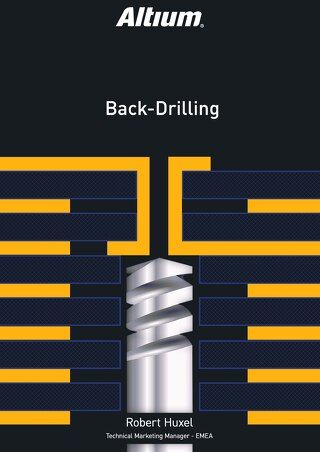
Backdrilling in PCB Design: An Easy Way to Improve Via Signal Integrity
Backdrilling in Altium Designer is one of the easiest ways to improve via signal integrity. Read on to learn about back drilled vias and more.
阅读文章
Top 10 DFM Problems That Affect Every Design
Learn how to prevent the top 10 Design for Manufacturability (DFM) issues in your next PCB design project with these strategies. As a PCB designer, you manage a variety of different requirements and expectations.There are electrical, functional, and mechanical aspects to consider. In addition, the PCB has to be produced in a timely manner, with the best possible quality, at the lowest possible cost. And through all of these requirements, you also
阅读文章
PCB Importers: Import Wizard
One task that has always proven difficult is moving electronic product designs from one design environment to another. Whether you’ve changed design tools or acquired designs from another company, there are a number of challenges involved in moving a project from one software platform to another, while maintaining design consistency. It’s a difficult and time-consuming process, but it has to be done. INTRODUCTION If a PCB designer has a design in
阅读文章
Easing PCB Navigation with Snap Options
Accurate navigation in PCB design software is one of the many pain points that PCB designers face during initial component placement and throughout the entire design process. Snap options not only ensure accuracy, but speed placement, helping the process to run smoothly and ease the designers’ frustration. INTRODUCTION In PCB design, there are many actions such as placement, routing, alignment and length tuning that require heavy use of the mouse
阅读文章
Enhancing Your Design Efficiency with Project Templates
HIERARCHICAL SCHEMATIC DESIGN IN ALTIUM DESIGNER New Altium Designer users may not fully understand the benefits of organizing schematic sheets into a hierarchical top-down or bottom-up perspective. As a result, users often proceed with simple (flat) schematic designs without giving a second thought to project organization. In this paper, we’ll take a comprehensive look at the sheet symbols and how they’re used to synchronize the parts of a larger
阅读文章
Automate Output Job File Processing with PCB Release View
Altium Designer users can use Altium Vault to produce automated, high-integrity design release systems that automate output job file processing. Using Output Job files to define and store the necessary documentation needs for any Altium Designerproject is an extremely efficient and powerful feature. As more output types are supported by Output Job files (e.g., footprint comparison report, STEP file export, 3D Movie creation), or your company’s
阅读文章
返回主页
Multidisciplinary Product Creation
Align data and context across every discipline
Collaborate concurrently with no silos
Make faster decisions with shared visibility
Stay connected through real-time updates
Learn More
Thank you, you are now subscribed to updates.
Don’t miss updates