










Embedded Systems Firmware and Hardware in the Cloud

At a Glance
Embedded systems firmware development is easier when your hardware designers and coders can work together in the cloud.


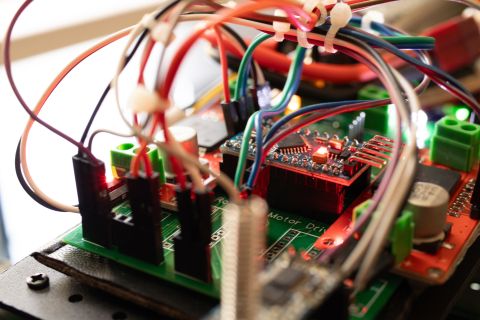
Every embedded system has three primary components: hardware, embedded software, and firmware. Your board won’t operate without hardware and components, but embedded systems firmware also forms the basis for applications based on MCUs. Designing embedded systems requires working in both areas as the hardware design and firmware are inherently linked. Since designers need to collaborate now more than ever, they’ll need the right design tools and processes to share all design data and code for embedded firmware.
When you’re designing a new embedded platform in Altium Designer, you can leverage the capabilities in Altium 365® to store, share, and track revisions on firmware for your new system. This allows you to store code for your system alongside PCB design data and manufacturing data. Here’s how you can use Altium 365 for all your embedded systems firmware and hardware design tasks.
Embedded Systems Firmware on Altium 365
Thanks to the sharing and collaboration features on Altium 365, it’s extremely easy to share a range of design data, including code for embedded firmware. Here’s how you can get your firmware files into your shared projects using your Altium 365 workspace.
Getting Firmware Code into Your Projects
To get the firmware into your Altium Designer projects, you’ll need to leverage your Altium 365 workspace and some built-in tools for viewing and accessing your data. I’ll show an example project for a new power conversion product, where firmware, layouts, schematics, libraries, and components are pushed into my Altium 365 workspace.
The schematic below shows a power converter design I’m using for simulations in Altium Designer. This is part of a design for a power system that will use a control loop implemented on a TI SoC. The other schematic and some components that are needed for this project are shown in the Projects panel on the left side of the screen. This project is currently stored locally, but we can start adding firmware to the project once the project is pushed to your Altium 365 workspace.

To get your firmware into your project, you need to create a sub-folder in your project folder within your Altium 365 workspace. If you navigate to your workspace in your web browser or within Altium Designer, you can right-click on your project folder and select the “Add Folder” option. The image below shows where I’ve created a new sub-folder within my PowerControlFW project folder in my Altium 365 workspace via my web browser. You’ll want to create a Generic Folder, which will allow you to upload any file you need for your project.

Note that anyone who has editing privileges for the project (including your firmware developer) can access the project folder and create a sub-folder for firmware data, components, or other design data as needed. This is the approach I’ve taken above, where I’ve shown a firmware developer accessing project data through the Altium 365 workspace. If you plan to re-use your firmware data or other data in another project, you could also create a new top-level Generic Folder.
Adding Firmware Files
Once the new folder is created in your project, you can use the Explorer to add data to your Altium 365 workspace for your project. You don’t need to create a specific file type, and you can click “Add Item” in the Explorer and drag your firmware files into the Create New Item dialog. The image below shows my new item name, which will contain 5 files (4 code files and 1 zip file).

Once everything is uploaded, you’ll see the files in your Altium 365 workspace (see below). At this point, you can share the project with a collaborator to give them access to your design files. They can then access firmware data from Altium Designer or through their browser.

From the Explorer, an embedded firmware engineer can immediately download these files to their local machine. Right-click on one of the files revision in the lower half of the Explorer and select “Download All Documents”. An engineer can also immediately open one of these files on their local machine; just right-click on an item and select the View option for the header and .CPP files, I can instantly open one of these files in Visual Studio Code and start editing as shown below.

Share Code and Track Revisions
Here, the binary data file is critical as this will get flashed onto my SoC for my power controller, while the firmware developer may need the other files to modify code based on the schematic design. Putting all this in one spot helps everyone stay productive and quickly access design data. A firmware designer can see exact connections between specific components and start modifying the corresponding code, and all while ensuring revision tracking in a version control system.
Whether you’re working remotely or you’re in the office with your design team, Altium Designer®, and the Altium 365® platform make collaboration easy and sharing. You’ll have the tools you need for embedded systems firmware development and PCB design all in one place.
We have only scratched the surface of what is possible to do with Altium Designer on Altium 365. You can check the product page for a more in-depth feature description or one of the On-Demand Webinars.

关于作者
Related Technical Documentation
相关资源
目录
Solutions for Every Role and Team
- Discover and evaluate design options earlier
- Develop in one shared workspace
- Scale with control and compliance
- Connect every stage of hardware development
Learn More
Thank you, you are now subscribed to updates.
 沪公网安备 31010502006411号