





New Features You’ll Only See in Altium Designer 16


We’ve packed many new features in Altium Designer®, allowing you to get your designs done faster than ever. Check out our top 3, and register now for a free webinar to see them all!
It’s that time of the year again, and we’ve got a major update planned for Altium . Our focus has always been on providing you with the most productive and efficient design tool that allows you to tap into your true design potential. This release is no exception to that focus, and includes many new features that will accelerate your design workflow, allowing you to get your designs done faster than ever. Here’s just a small sneak peak at what’s inside Altium 16:
New Visual Clearance Boundaries
You’ve got your clearance boundaries set in your design rules, but wouldn’t it be great to see those boundaries visually while you route your board?
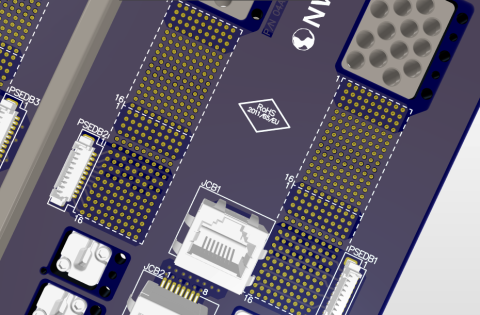
With Visual Clearance Boundaries you’ll clearly understand the impact of your routing decisions in real-time. Visually see clearance boundary lines between traces and objects as you route your board, and create the most accurate and error-free PCB possible.
New Visual Clearance Boundaries in Altium 16
New Alternative Part Choice System
Ever find yourself ready to manufacture your board, only to find out that one of your components is no longer available from a supplier?
With the new Alternative Part Choice System, you’ll have complete control over your component selection process. Easily set alternative part choices directly in your that get automatically substituted if your primary part selection is unavailable.
New Alternative Part Choice System in Altium 16
New Component Placement System
Do you enjoy treating your PCB as a work of organized art, with precisely placed components and degree-specific tracks?
With the new Component Placement System, you can design the most organized and efficient board layouts possible. Easily place and drag components that push, avoid, and snap-to alignment with other objects on your board with a simple keyboard shortcut.
 New Component Placement System in Altium 16
But Wait, There’s More…
That’s just a small sampling of all the new features in Altium 16. Want to be one of the first to see all the new features in action? See what's new for our free Altium 16 Sneak Preview Webinar and experience the future potential of your design tool.

关于作者
相关资源
目录
Solutions for Every Role and Team
- Discover and evaluate design options earlier
- Develop in one shared workspace
- Scale with control and compliance
- Connect every stage of hardware development
Learn More
Thank you, you are now subscribed to updates.




 沪公网安备 31010502006411号