Skip to main content
Mobile menu
解决方案
Altium Develop
在 Altium Designer 中设计先进 PCB,可独立设计,也可在需要时连接评审、数据来源和发布协同。
Altium Agile Teams
在多学科电子开发与协作中引入结构化流程,确保效率与速度不受影响。
资源 & 支持中心
Altium 365 免费工具
Gerber Compare
在线 PCB 查看器
了解产品
在线商城
下载
联系我们
关注微信
扫描二维码
关注Altium微信平台
资源 & 支持中心
用户指南
实战讲堂
学习中心
技术文档
支持中心
常见问题
Altium 社群
社群
Bug提交
创意
教育
学生实验室
Free access to professional PCB design software, training, and learning resources for students
教育者中心
A comprehensive education platform providing curriculum, software, training, and classroom resources for educators
Altium 教育课程
Free college- and university-level PCB design curriculum designed to prepare students for real-world engineering careers
Search Open
Search
Search Close
登录
PCB 设计工程师
Main menu
首页
PCB设计
团队协作
元器件创建
PCB数据管理
PCB设计输出和文档
ECAD/MCAD
HDI设计
高速设计
多板设计
PCB布局
PCB布线
PCB供应链
电源完整性
RF设计
刚柔结合板PCB设计
原理图输入
信号完整性
PCB设计仿真/分析
软件
Discover
Develop
敏捷团队
敏捷企业
Altium 365
Altium Designer
资源中心
项目
Altium Academy
工程新闻
指南书
新闻通讯
播客
项目
培训课程
网络研讨会
白皮书
首页
PCB 设计工程师
PCB 设计工程师
资源和信息的PCB设计。
Getting Started for PCB Design Engineers
See How PCB Design Engineers Work with Altium
Discover Altium's Design Capabilities
Learn about PCB Design
PCB Design Documentation
Overview
指南
网络研讨会
视频
All Content
Filter
found
Sort by
Select
Most Recent
Most Popular
Title (A-Z)
Title (Z-A)
Role
ECAD 库管理员
电气工程师
工程经理
IT 经理
机械设计工程师
PCB 设计工程师
采购经理
软件工程师
Software
Altium Develop
Altium Agile 团队
Altium Agile Enterprise
Altium Designer
Altium 365
Assembly Assistant
BOM Portal
Cloud PLM Connector
PLM集成
Configurable Workflows
GovCloud
Jira Integration
MCAD CoDesigner
Octopart
Requirements Portal
Content Type
指南
视频
网络研讨会
白皮书
播客
Region
Americas
EMEA
APAC
Product Lifecycle Management (PLM) Training
4 min
Guide Books
+3
PCB 设计工程师
Project Leads
电气工程师
工程经理
机械设计工程师
This comprehensive video series will guide you through establishing seamless connections between your workspace and PLM system, creating a unified digital thread for your product development lifecycle. PLM integration transforms how your engineering team manages component data, project information, and manufacturing outputs by synchronizing critical design data between the workspace and your PLM system. This integration eliminates data silos, reduces manual data entry, and ensures your entire organization works from a single source of truth. This training series covers five essential areas that will get your PLM integration up and running effectively. After completing this training, you will have the knowledge and practical skills to implement a robust PLM integration that enhances collaboration, reduces errors, and accelerates your product development process.
阅读文章
1:50
Events Log
2 min
Videos
+1
PCB 设计工程师
Project Leads
电气工程师
工程经理
This video demonstrates navigating within the events log. The events log showcases user events and data within the workspace in a single access point for data governance. To begin, navigate to the admin tab and the events log link once the Organizational Security Package is enabled. Many types of logged events are visible including additions, removals, workspace member group assignments, component and object data, and data sharing. Event log entries can be searched and filtered by object type as well. The list can be refreshed by typing F5, and an API is also available to transfer event log data to a security information and events management system.
阅读文章
3:15
Admin Checklists
4 min
Videos
+1
PCB 设计工程师
Project Leads
电气工程师
工程经理
This video demonstrates how to add a checklist to an Altium 365 Platform for use in design reviews. To begin, navigate to the admin button, and select checklists on the right hand side to see current platform checklists. Edit or delete one by selecting the three radial dots, or create a new one by selecting the new button. In the new checklist, type or paste a list of items and a name and select add. This creates a new checklist template which can be applied to a design by opening a design, creating a design review, and adding the template checklist to that design.
阅读文章
How Does Sourcing Change for Rapid PCBA Prototyping?
9 min
Blog
+1
采购经理
硬件初创公司/电子原型商
PCB 设计工程师
电气工程师
When speed matters more than cost, sourcing changes. Learn how digital tools help overcome BOM churn, part shortages, and supply fragmentation.
阅读文章
4:16
Admin-Explorer Web View
4 min
Videos
+1
PCB 设计工程师
Project Leads
电气工程师
工程经理
This video demonstrates how to enable parameters when placing a component. The first step is to open the Explorer Panel, and within components, open the capacitors folder and right click for properties. Configure the parameters "Visible on Add" by selecting enable for the "PackageCase" parameter and click okay. Refresh the screen and choose a component within the capacitors folder and place it. Now the case size is visible for that capacitor and the Properties Panel also displays this value.
阅读文章
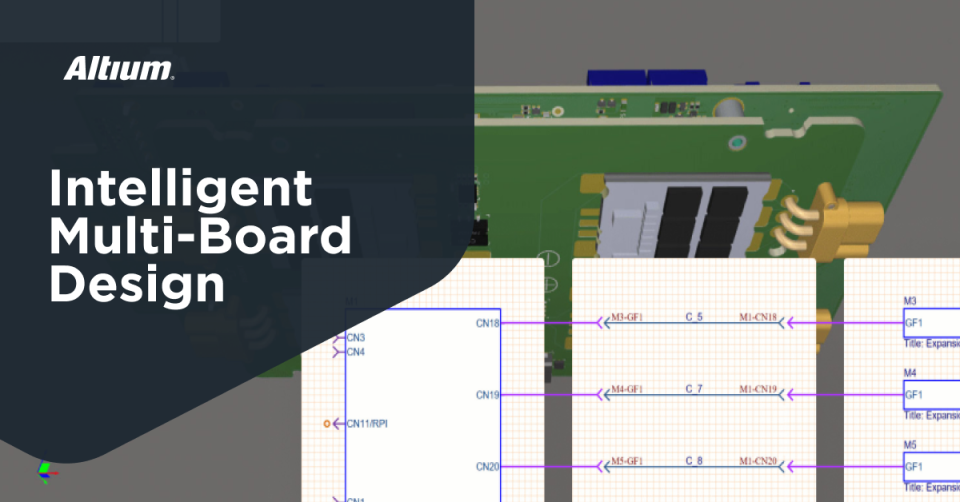
Optimize Your Multiboard PCB System with Intelligent Design and Manufacturing Solutions
7 min
Blog
Systems Engineers/Architects
PCB 设计工程师
电气工程师
Unify your multiboard PCB workflow with intelligent design tools that align logic, layout, harnesses, and documentation from start to finish.
阅读文章
Collaborative Product Development: How Electrical Engineers Can Drive Better Outcomes
6 min
Blog
+2
电气工程师
PCB 设计工程师
工程经理
机械设计工程师
采购经理
When engineers collaborate inside the tools they use, outcomes improve. Learn how shared context transforms product development.
阅读文章
Pagination
First page
« First
Previous page
‹‹
页面
21
当前页面
22
页面
23
页面
24
页面
25
页面
26
Next page
››
Last page
Last »












 沪公网安备 31010502006411号