
Mobile menu
  • Altium Develop
  • 资源 & 支持中心
    Altium 365 免费工具
    • Gerber Compare
    • 在线 PCB 查看器
    了解产品
    • 下载
    • 联系我们
    • 关注微信
      • 扫描二维码
        关注Altium微信平台
    资源 & 支持中心
    • 用户指南
    • 实战讲堂
    • 学习中心
    • 技术文档
    • Altium Develop 常见问题集
    Altium 社群
    • 社群
    • Bug提交
    • 创意
  • 教育
    • 学生实验室
    • 教育者中心
    • Altium 教育课程
  • Search Open
    Search Close
登录
Altium 365

Main menu

  • 首页
  • PCB设计
    • 团队协作
    • 元器件创建
    • PCB数据管理
    • PCB设计输出和文档
    • ECAD/MCAD
    • HDI设计
    • 高速设计
    • 多板设计
    • PCB布局
    • PCB布线
    • PCB供应链
    • 电源完整性
    • RF设计
    • 刚柔结合板PCB设计
    • 原理图输入
    • 信号完整性
    • PCB设计仿真/分析
  • 软件
    • Develop
    • Discover
    • Agile
    • Altium的365
    • Altium Designer的
  • 资源中心
    • 项目
    • Altium Academy
    • 工程新闻
    • 指南书
    • 新闻通讯
    • 播客
    • 项目
    • 培训课程
    • 网络研讨会
    • 白皮书
首页 Altium 365 敏捷开发能否适用于硬件?成功的3个关键要素

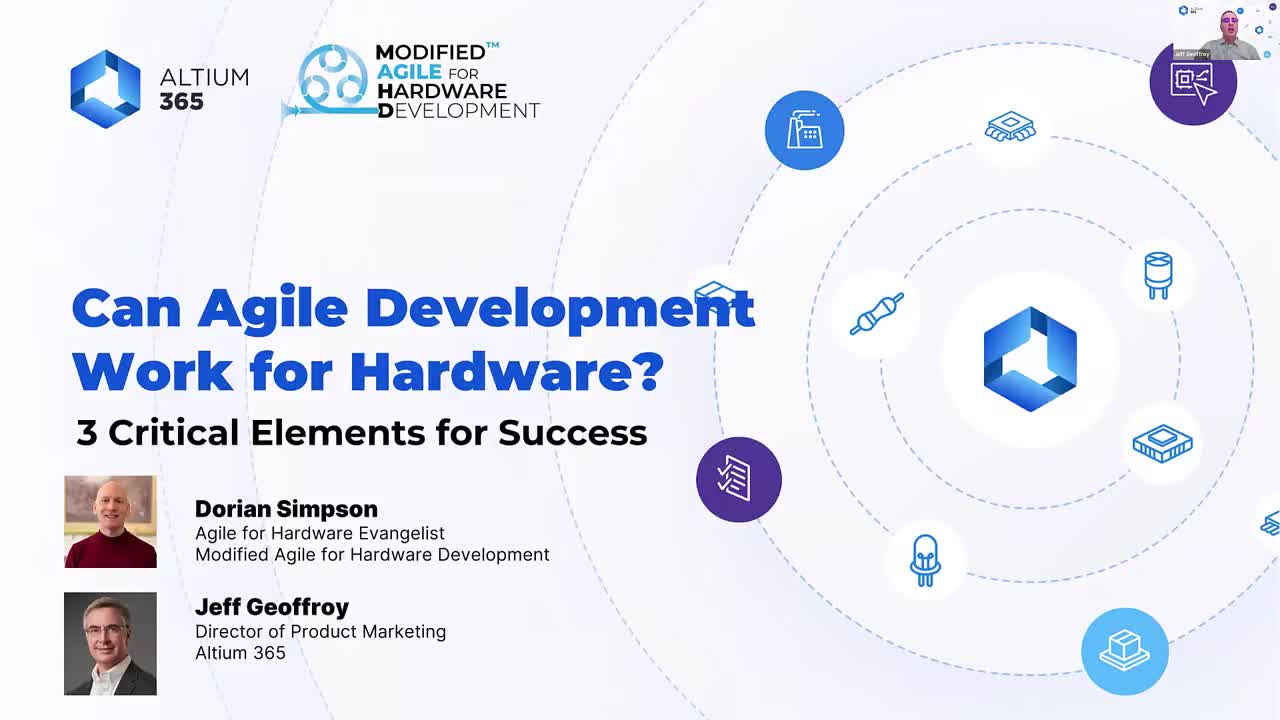
敏捷开发能否适用于硬件?成功的3个关键要素

Agile Development Work for Hardware Webinar Cover

Registration has recently closed. Check back soon for on-demand webinar.

Related Technical Documentation

Altium 365 Platform Interface Altium 365 Platform Interface

Depending on your relationship with Altium, the services offered on the Altium Platform will be experienced from within Altium Designer and through the platform's browser-based interface. This page takes a look at the latter and provides an overview of what you'll see when you register an Altium Account and sign in to the Altium Platform Interface. For the latest information on the security,…

阅读文档
Altium 365 Personal Space Altium 365 Personal Space

As a registered user of the Altium 365 Platform (i.e. an Altium Account) you have your own Altium 365 Personal Space, which is accessible only by you. Your Personal Space accommodates persistent storage of various types of uploaded static data, including design 'snapshots' (from various ECAD platforms) and Gerber/ODB++ manufacturing data, with the ability to share with anyone for comments and…

阅读文档
Web Viewer Web Viewer

.messages ul + p {margin-top: 24px;} The Altium 365 Web Viewer interface provides universal access to PCB project documents through a standard web browser. Much more than just a web-based viewer, its advanced browser technology allows users to navigate through the project structure, interact with design documents, extract information about elements in the design, and highlight areas or objects…

阅读文档
Search Query Reference Search Query Reference

@media (min-width: 880px) { .l-main-content table {width:100%;} .l-main-content table th:nth-child(3) { width:340px;} } .l-main-content table thead th { padding:15px 10px; color: var(--color-body); background-color: var(--color-bg-3); } This document is a reference guide for the syntax, operators, and conventions used in the Workspace hardware design search language. Search queries are based on a…

阅读文档
Global Sharing of Data Global Sharing of Data

One of the most powerful aspects of the Altium 365 infrastructure platform is its support for collaboration on a global scale. At the heart of this is the platform's support for Global Sharing. With Altium 365, you can effortlessly share your current design progress with management, or purchasing, or a potential manufacturer, in a way that is also easy for them – simplified, interactive…

阅读文档
Electronic System Design Electronic System Design

In early stages of electronic designs, it is important to define the design on the conceptual/functional level. This initial step serves as a crucial foundation for the entire development process, providing a high-level overview of the system's architecture and its primary elements. A well-crafted block diagram clarifies the major functional units of the electronic system and illustrates their…

阅读文档
Renesas 365 Renesas 365

Renesas 365, powered by Altium, is built on the Altium 365 platform and developed for electronics system design. It liberates engineers by unifying development workflows to improve efficiency and accelerate design cycles from concept to volume production. The main, high-level entity in Renesas 365 is a Solution that unifies different aspects of the system that you create – system design, software…

阅读文档
Viewers Troubleshooting Guide Viewers Troubleshooting Guide

To ensure a smooth experience with Altium 365 Viewer and the Web Viewer interface within the Altium 365 platform itself, ensure you have: The latest version of a supported Web Browser installed. That WebGL (or WebGL 2.0) is enabled for it. That the option to use 'Hardware Acceleration' is enabled for your browser where available. This will typically result in a far smoother viewing experience,…

阅读文档
Viewing Manufacturing Packages Viewing Manufacturing Packages

The Manufacturing Package Viewer, an element of the Altium 365 platform's Global Sharing support, allows invited stakeholders to view a manufacturing package from any web browser – anywhere in the world – but outside of your Workspace, so that your designs themselves and other valuable IP are kept off limits. The Viewer opens in its own browser tab and provides a summary overview of the design,…

阅读文档
Altium 365 Viewers Altium 365 Viewers

hr {height:1px; border-width:0; background-color:#b8a071; margin-top:30px; margin-bottom:0px;} li {margin: 0.25em;} .region-content ul {margin: -0.5em 0 1em;} .region-content ol {margin: -0.5em 0 1em;} Web Viewer Altium 365's Web Viewer interface provides universal access to PCB project documents through a standard web browser. Much more than just a web-based viewer, Web Viewer's advanced browser…

阅读文档

相关资源

1:2:51 Session 2 - Collaborating with Contractors Altium is pleased to offer a 3 part Altium Academy Virtual series to discuss the problems that companies can encounter while working remotely, and how to effectively overcome these issues. During these 3 webinars, we’ll show how engineering teams working remotely can effectively collaborate to solve critical issues. How to collaborate from multiple locations with colleagues from your organization. How to collaborate with 3rd party companies or 观看视频
00:40:03 简化您的产品开发 - Altium 365 云 PLM 与 Arena® PLM 集成 观看网络研讨会,了解Altium 365与Arena®云PLM集成如何优化您的电子产品开发流程。探索Altium 365与领先的云PLM系统之间的无缝连接,旨在自动化数据流,消除手动输入,并最小化导致成本高昂返工的错误。 观看视频
44:01 ECAD/MCAD Collaboration: The Secret Sauce of Ribbot from BattleBots Ribbot is a heavyweight combat robot that is both fearsome and fun. With its vibrant green and yellow color scheme, it looks like it could have hopped right out of a cartoon. But don't be fooled by its playful appearance – Ribbot is a serious contender in the world of BattleBots. Don't miss this opportunity to discover the captivating journey behind Ribbot's creation and the innovative design process it entails. Register now for our webinar and 观看视频

敏捷开发能否适用于硬件?成功的3个关键要素

已创建:February 29, 2024
At a Glance
观看网络研讨会,探索敏捷方法论的好处以及它们如何被应用到硬件开发的实体世界中!
Go Deeper with AI:
ChatGPT Perplexity Claude Google Grok
1 video
  • Can Agile Development Work for Hardware? 3 Critical Elements for Success
    00:55:31 • Feb 28, 2024
    Can Agile Development Work for Hardware? 3 Critical Elements for Success
    00:55:31 • Feb 28, 2024

    Watch the webinar to explore the benefits of agile methodologies and how they can be translated into the physical world of hardware development!

Product: 电子设计协作 设计数据管理 Data Security PCB供应链 Altium 365 网络研讨会 Workflow and Process Management CoDesign and CoEngineering (ECAD/MCAD Collaboration) Data Management and Version Control Component Management and Libraries Supply Chain and Component Sourcing

观看网络研讨会,探索敏捷方法论的好处以及它们如何被转化到硬件开发的实体世界中!

本次会议通过四旋翼飞行器的实际例子,使敏捷概念栩栩如生。我们通过一系列关键的里程碑,展示了敏捷原则的实际应用方式。了解Altium 365如何通过增强协作和电子产品开发过程,支持采用这种方法,实时联合不同的利益相关者。发现成功的三个关键要素!

演讲者:

  • Dorian Simpson,MAHD Framework, 的首席传道士
  • Jeff Geoffroy,Altium 365, 的产品营销总监

学习:

  • 将敏捷方法论适用于硬件项目,以促进持续改进
  • 改善工程、制造、采购和软件开发之间的跨学科合作
  • 优化产品开发流程,缩短上市时间而不牺牲质量
  • 用硬件框架修改后的敏捷策略转变敏捷战术
  • 利用Altium 365进行轻松的实时信息共享和决策
  • 有效管理数字需求,以适应和可追溯的项目演进
  • 利用快速原型制作来对齐团队、促进学习,并迅速适应变
  • 化建立健壮的客户反馈循环,以便早期概念验证和功能优先级排序

Related Technical Documentation

Altium 365 Platform Interface Altium 365 Platform Interface

Depending on your relationship with Altium, the services offered on the Altium Platform will be experienced from within Altium Designer and through the platform's browser-based interface. This page takes a look at the latter and provides an overview of what you'll see when you register an Altium Account and sign in to the Altium Platform Interface. For the latest information on the security,…

阅读文档
Altium 365 Personal Space Altium 365 Personal Space

As a registered user of the Altium 365 Platform (i.e. an Altium Account) you have your own Altium 365 Personal Space, which is accessible only by you. Your Personal Space accommodates persistent storage of various types of uploaded static data, including design 'snapshots' (from various ECAD platforms) and Gerber/ODB++ manufacturing data, with the ability to share with anyone for comments and…

阅读文档
Web Viewer Web Viewer

.messages ul + p {margin-top: 24px;} The Altium 365 Web Viewer interface provides universal access to PCB project documents through a standard web browser. Much more than just a web-based viewer, its advanced browser technology allows users to navigate through the project structure, interact with design documents, extract information about elements in the design, and highlight areas or objects…

阅读文档
Search Query Reference Search Query Reference

@media (min-width: 880px) { .l-main-content table {width:100%;} .l-main-content table th:nth-child(3) { width:340px;} } .l-main-content table thead th { padding:15px 10px; color: var(--color-body); background-color: var(--color-bg-3); } This document is a reference guide for the syntax, operators, and conventions used in the Workspace hardware design search language. Search queries are based on a…

阅读文档
Global Sharing of Data Global Sharing of Data

One of the most powerful aspects of the Altium 365 infrastructure platform is its support for collaboration on a global scale. At the heart of this is the platform's support for Global Sharing. With Altium 365, you can effortlessly share your current design progress with management, or purchasing, or a potential manufacturer, in a way that is also easy for them – simplified, interactive…

阅读文档
Electronic System Design Electronic System Design

In early stages of electronic designs, it is important to define the design on the conceptual/functional level. This initial step serves as a crucial foundation for the entire development process, providing a high-level overview of the system's architecture and its primary elements. A well-crafted block diagram clarifies the major functional units of the electronic system and illustrates their…

阅读文档
Renesas 365 Renesas 365

Renesas 365, powered by Altium, is built on the Altium 365 platform and developed for electronics system design. It liberates engineers by unifying development workflows to improve efficiency and accelerate design cycles from concept to volume production. The main, high-level entity in Renesas 365 is a Solution that unifies different aspects of the system that you create – system design, software…

阅读文档
Viewers Troubleshooting Guide Viewers Troubleshooting Guide

To ensure a smooth experience with Altium 365 Viewer and the Web Viewer interface within the Altium 365 platform itself, ensure you have: The latest version of a supported Web Browser installed. That WebGL (or WebGL 2.0) is enabled for it. That the option to use 'Hardware Acceleration' is enabled for your browser where available. This will typically result in a far smoother viewing experience,…

阅读文档
Viewing Manufacturing Packages Viewing Manufacturing Packages

The Manufacturing Package Viewer, an element of the Altium 365 platform's Global Sharing support, allows invited stakeholders to view a manufacturing package from any web browser – anywhere in the world – but outside of your Workspace, so that your designs themselves and other valuable IP are kept off limits. The Viewer opens in its own browser tab and provides a summary overview of the design,…

阅读文档
Altium 365 Viewers Altium 365 Viewers

hr {height:1px; border-width:0; background-color:#b8a071; margin-top:30px; margin-bottom:0px;} li {margin: 0.25em;} .region-content ul {margin: -0.5em 0 1em;} .region-content ol {margin: -0.5em 0 1em;} Web Viewer Altium 365's Web Viewer interface provides universal access to PCB project documents through a standard web browser. Much more than just a web-based viewer, Web Viewer's advanced browser…

阅读文档

相关资源

1:2:51 Session 2 - Collaborating with Contractors Altium is pleased to offer a 3 part Altium Academy Virtual series to discuss the problems that companies can encounter while working remotely, and how to effectively overcome these issues. During these 3 webinars, we’ll show how engineering teams working remotely can effectively collaborate to solve critical issues. How to collaborate from multiple locations with colleagues from your organization. How to collaborate with 3rd party companies or 观看视频
00:40:03 简化您的产品开发 - Altium 365 云 PLM 与 Arena® PLM 集成 观看网络研讨会,了解Altium 365与Arena®云PLM集成如何优化您的电子产品开发流程。探索Altium 365与领先的云PLM系统之间的无缝连接,旨在自动化数据流,消除手动输入,并最小化导致成本高昂返工的错误。 观看视频
44:01 ECAD/MCAD Collaboration: The Secret Sauce of Ribbot from BattleBots Ribbot is a heavyweight combat robot that is both fearsome and fun. With its vibrant green and yellow color scheme, it looks like it could have hopped right out of a cartoon. But don't be fooled by its playful appearance – Ribbot is a serious contender in the world of BattleBots. Don't miss this opportunity to discover the captivating journey behind Ribbot's creation and the innovative design process it entails. Register now for our webinar and 观看视频
返回主页
Altium Develop

从设计到发布,全程无阻碍

  • 让评审始终关联到正确的版本
  • 减少交接中的混乱和返工
  • 更早发现采购与发布风险
  • 可独立工作,按需共享

开始使用

Altium Develop
PCB Data Management

Bring all electronic design data together in one secure workspace.

Learn More
Keep Your Data Secure

Experience identity governance, compliance support, and access visibility built into workflows

Learn More
工具 & 平台
  • Altium Designer
  • Altium 365
平台解决方案
  • Altium Develop
  • Altium Agile Enterprise
公司
  • 我们的客户
  • 新闻中心
产品扩展
  • 所有扩展插件
  • Requirements Management
  • Power 分析器
  • IT Security
  • Electronics Manufacturing
  • Electronics Supply Chain
  • Engineering Management
联系我们
  • 中国大陆
  • 中国台湾/香港/澳门
资源库 & 支持中心
  • 状态
  • 下载
  • 所有资源
  • 支持中心
  • Bug提交
  • 社群
  • 文档
  • 创意
  • 教育
  • 专业培训/认证
  • 官方直播
  • Beta 项目
教育项目
  • 学生实验室
  • 教育者中心
  • Altium 教育课程
工作机会
  • 开放职位
  • 版权和商标
  • 隐私政策
  • Cookie 政策
  • 使用条款
  • 法律声明
  • 沪公网安备 31010502006411号
  • 沪ICP备12028795号-1
© 2026 Altium Pty. Ltd.