 下载PDF
下载PDF







Optimizing PCB Design with Constraint Manager

At a Glance
Simplify PCB design with Altium Designer’s Constraint Manager. Centralize rule management and boost efficiency. Download the whitepaper now.


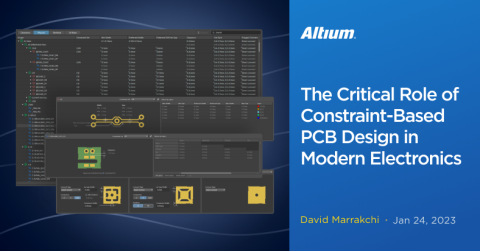
The Constraint Manager in Altium Designer is a powerful tool that simplifies and streamlines the complex task of PCB design. Central to this is a unified table-based editor that consolidates all your design rules and constraints, whether they are electrical or physical in nature. This brings everything into one place, saving you the time and effort of navigating through multiple menus and settings.
One of the significant advances offered by this feature is the unified access to nets, classes, and rules, both from the schematic level and the PCB editor. Now, with this integrated approach, designers can effortlessly input and modify constraints at both the schematic and layout levels, which enhances workflow and ensures design cohesiveness.
The Constraint Manager also allows you to redefine rules flexibly, meeting the shifting requirements of your design as it evolves. Added to this is the Class-to-Class Clearance Matrix, an intuitive interface that helps you specify clearances between various component classes, thereby aiding in compliance with industry standards.
Overall, the Constraint Manager is a key enhancement in Altium Designer. It not only makes rule and constraint management simpler but also significantly improves your design workflow by integrating rule management across different stages of the design process
To explore the full potential of Constraint Manager, download our whitepaper and gain insights into how it enhances productivity and simplifies compliance and rule management.
Benefits of the Altium Designer Constraint Manager
- Unified Access to Constraints
- Table-Based Editor
- Class-to-Class Clearance Matrix
- Redefinable Constraints
- Physical and Electrical Constraints
- Improved Productivity
- Streamlined Workflow
Conclusions
- Centralized Rule Management: Constraint Manager serves as a one-stop hub for rule definition and management, streamlining the design workflow for increased productivity. This centralized approach eliminates the need to jump between multiple tools or panels, making it easier to maintain a consistent set of rules across the design.
- User-Friendly Tabs: With user-friendly tabs like Clearances, Physical, and Electrical, Constraint Manager makes it easy to focus on specific design aspects. This targeted approach allows designers to more efficiently optimize various elements, such as spacing between traces or electrical properties, without getting overwhelmed by the full complexity of the project.
- Intuitive Navigation: Intuitive navigation within Constraint Manager promotes quicker learning curves for new designers and greater efficiency for seasoned professionals. Its layout is designed to be easily understood, minimizing the time needed to get acquainted with its functions and capabilities.
- Comprehensive 'All Rules' Tab: The All Rules tab offers a comprehensive view of all constraints, making it easier for engineers to identify conflicts or inconsistencies. With all the rules listed in one place, designers can quickly assess the status of their design rules, which saves time and reduces the risk of errors.
- Continuous Improvement: Ongoing improvements and feature rollouts for Constraint Manager demonstrate its value as an indispensable tool in electronics design. Its continual evolution ensures that it stays aligned with industry needs, making it a reliable tool for both current projects and future advancements in electronics.
Download the Whitepaper
Ready to dive deeper? Our whitepaper provides a comprehensive breakdown of Constraint Manager’s features, use cases, and practical applications to help you get the most out of this tool. Download the quick guide below.
Related Technical Documentation
相关资源
Solutions for Every Role and Team
- Discover and evaluate design options earlier
- Develop in one shared workspace
- Scale with control and compliance
- Connect every stage of hardware development
Learn More
Thank you, you are now subscribed to updates.


 沪公网安备 31010502006411号