




Reusing Your Old PCB Designs in Altium Designer


Reusing or modifying your old designs is common among engineers and designers as this helps save you a considerable amount of time. There are times where it makes sense to reuse some or all of an old board, and you might as well completely recreate a device at other times. With Altium Designer, you can implement a comprehensive data management strategy that makes it easy to reuse old designs. You can even go further and use design methodologies that make modular design easy. No other PCB design software package gives you these capabilities.
ALTIUM DESIGNER
A unified PCB design package with the best design and data management features in a single interface.
There are a number of reasons a designer might start off with an old design when developing a new product. Typically, some portion of the board, packaging or some set of components on the original board will make an appearance in the new board. The board shape, layer stack, and even design specifications might all need to be reused in a new PCB.
In terms of the overall PCB design workflow, you might need to reuse schematics, layouts, design rules, sets of specific components, board shapes, the layer stack for a multilayer board, or even multiple boards as part of a multi-board system. Before you try to redesign your new product, you need to make sure your electronics design software includes the tools necessary to easily update any design with new parts, specifications, or even board shapes.
Best Practices for PCB Design Reuse
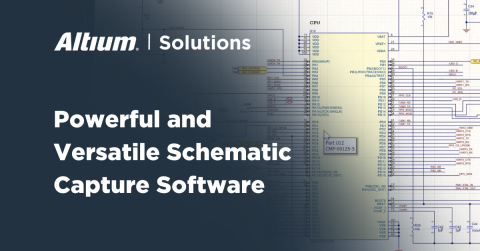
Designing with an eye towards reusing your boards, schematics, or component lists takes adaptable software with an import wizard. This makes it easy to create new designs from your old printed circuit boards and instantly bring your new design into your PCB editor using your schematic capture tool. This type of design software will instantly transfer the data you need into new design files.
Modular Design with Hierarchical Schematics
If you segment your designs into different functional blocks, you can assign each block to its own schematic and link them together as hierarchical schematics. You’ll be able to easily reuse different functional blocks in different PCB designs, making modular design easier than ever. All of this is much easier when your schematic tools are integrated with your design rules, layout tools, and other design tools.
Changes to one portion of your design need to synchronize with the rest of your design. Your productivity is much higher when your schematic, layout, and component libraries are integrated into a single interface. When you can create custom libraries with existing components, you can easily reuse your existing list of components in a new design, and you won’t have to scan through the rest of your libraries just to find your schematic symbols or component models.
- If you’re reusing schematics in a new board, you can easily capture the board as a new layout and build your updated board. Learn about schematic capture tools and starting a new PCB layout.
- If you decide to reuse an old layout and update components or connections, your design software should synchronize these changes back to your schematic. Learn more about PCB design reuse and keeping your design files synchronized.
- Keeping track of design variants, including design changes, requires software that automatically generates standardized documentation and shares it across design teams. See how your PCB design software helps keep your design variants organized.

The routing and layout capabilities in Altium Designer
PCB Design Reuse With Project Templates
If you work as an electrical engineer, in the aerospace industry, or you are responsible for military procurement, you’ll need to share your design data and documentation among multiple parties in order to quickly begin reusing designs for new products. PCB designers working on complex projects need design software that makes it easy to reuse a portion of a design or to begin a complex redesign completely.
As a designer, contractor, or hardware technology professional, you’ll need design software that allows your team to quickly begin working on these redesign projects. No one should have to move between multiple programs and manually export your different files and rip up portions of a design just to get started on a new project. PCB design software with the best template creation, project library generation, and documentation tools makes it easy for teams to get started on a redesign project.
Streamline PCB Design Reuse with Templates and Documentation
Your documentation tools will log changes to existing designs as you delve into reusing designs as part of a new project. You can streamline your workflow when you work in an integrated environment that makes it easy to create project libraries and custom component libraries for use as part of a redesign. Combine this with hierarchical schematics and the best layout tools, and you’ll be working at optimum productivity.
- When it’s time to reuse your old designs, you can increase your productivity when you create project libraries from your schematic.
Learn more about creating project libraries in Altium Designer.
- The right library management strategies allow you to quickly reuse groups of components in reused designs. Learn more about overcoming library management challenges with integrated design.
- No matter the application, your design strategy is greatly enhanced when you use signal integrity simulations as part of your design strategy.
See how integrated design software streamlines documentation generation.

Accessing templates in Altium Designer
Bringing it All Together with Altium Designer
Each PCB design reuse feature is designed to semi-automate some aspect of the reuse and redesign process, but taking these features on their own is no way to reuse your old designs. The productivity gains provided by each modular design feature are offset by the time spent switching between design programs.
Instead of working in an environment that separates features into different programs or modules, you need to work in an integrated design environment. Only Altium Designer makes it easy to access all the critical PCB design reuse features you need in a single program. You’ll save your time and sanity when your design tools are built to work together in a single interface.
Working with Altium Designer Makes PCB Design Reuse Easy
All the design tools in Altium Design are built on top of a single rules-driven design engine, providing a consistent workflow and data format. Real-time verification is built into this PCB design platform, providing a level of reliability that no other PCB design platform can match. Other design platforms claim to link features into a unified design environment, but they still force you to switch between programs just to access basic design features.
- Altium Designer includes the best hierarchical and multichannel design tools, making modular design easy and allowing others to quickly reuse your designs. Learn more about hierarchical and multichannel design in Altium Designer.
- Working in a single program with a rules-driven design engine helps you spot and solve errors during PCB design reuse in real-time. Learn more about Altium Designer’s rules-driven design engine.
- Once you’ve imported the data you need to reuse into a new project, the capture and interactive routing features in Altium Designer allow you to start building a new design quickly. Learn more about interactive routing features in Altium Designer.
Whether you are an electrical engineer, work in the aerospace industry, or run a hardware startup, you can watch your productivity skyrocket when you use the only integrated design software package that makes PCB design reuse simple. Altium Designer contains adaptable design, component management, documentation, and verification tools in a single unified interface.
If you’re comfortable working in an outdated PCB design workflow, switching to a unified design environment can be challenging. This is especially true if using software with segmented features is ingrained in your organization. Altium gives you all the resources you need to come up to speed quickly. You’ll have access to the AltiumLive forum, an extensive knowledge base, webinars and podcasts with industry experts, and useful feature tutorials.
No other design platform places the design tools you need in a single interface. If you’re tired of flipping between different programs that separate critical features, then you need to try designing in a unified environment. Altium Designer is the only PCB design platform that gives you the power to quickly reuse your old designs for your unique application.

关于作者
Related Technical Documentation
相关资源
目录
Solutions for Every Role and Team
- Discover and evaluate design options earlier
- Develop in one shared workspace
- Scale with control and compliance
- Connect every stage of hardware development
Learn More
Thank you, you are now subscribed to updates.






 沪公网安备 31010502006411号