







Use the Best Circuit Drawing Software With SPICE and Schematic Capture

At a Glance
Use the best circuit schematic editor to create your next electronic design and start your PCB layout.


Every new electronic product starts with circuit diagrams, schematic sheets, and eventually a PCB layout. Designers who want to create a new design that will eventually be manufactured need more than just simple circuit drawing program software, they need to translate their designs into professional file formats that can be used with schematic capture to create a real PCB. Altium Designer available within Altium Develop is the best circuit diagram maker software that can do all this and much more.
With a complete set of CAD tools to aid your design process, Altium Designer includes everything you need to create high-quality circuit diagrams from real electronic drawing software components you’ll find from major distributors. If you’ve never used Altium Designer, take a look at its complete set of product development tools, beginning with system-level design and ending with expedited PCB manufacturing.
Most design programs will take you down the difficult road of using separate tools to create circuit diagrams, find components for your libraries, and transition your board to a PCB layout. Unified PCB design software solves these problems by placing all your important design features in one program with a single workflow and design strategy. Your design tools should help you easily create your circuits and import them into a new PCB layout.
When you use the best circuit drawing software like Altium Designer, you’ll have the tools you need to design all of your circuits. Passive RLC circuits and complex networks of transistors or integrated circuits can be imported into Altium Designer and evaluated in simulations. If you’ve never worked in an integrated design platform with everything needed to build and evaluate circuit board designs, keep reading to see how Altium Designer can help.
Features in the Best Circuit Drawing Software
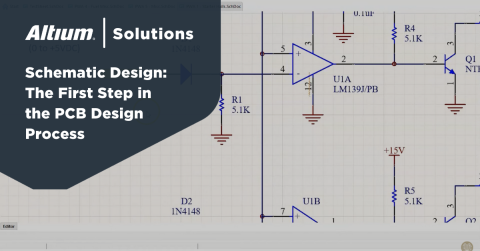
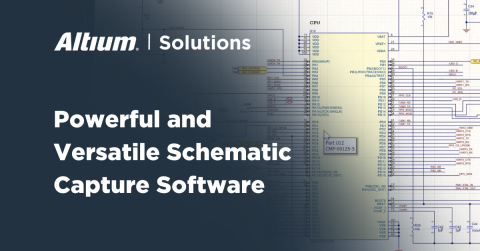
Whenever you get started on a new design, you’ll start with schematic sheets, where you create circuit diagrams and find real components to build your system. Circuit diagram maker software can contain just about any type of component you like and should be designed to create the basic functionality of your product. However, the schematics you create for your design need to contain models for real components that can be found in the PCB supply chain and ordered from distributors. Every component in your circuit designs and schematics needs other CAD data attached to it, and you’ll need a complete set of features to help you manage the design data in your project.
The best circuit schematic editor gives you access to a complete set of features to do much more than just draw circuit diagrams. Your design software needs CAD libraries that contain data on real components to help you build a real circuit board from your design and prepare orders for components from distributors. In addition, circuit drawing software should include SPICE simulation features to help you evaluate your circuit designs. Most design software will separate design data into different programs, but now with Altium Designer, you have everything needed to quickly transition into a new PCB layout for your design.
From Circuit Diagrams to the Circuit Schematic Editor in Altium Designer
Schematics and circuit diagrams go together in Altium Designer. With integrated supply chain features, designers can quickly find and import components into schematics and gather the data they need to create a PCB layout.
- The best circuit drawing software works with schematic sheets directly and lets you access any component for use in your design.
Learn more about creating schematics from your circuit diagrams in Altium Designer. - Finding real components for your circuit designs and schematics is easy when you use the Manufacturer Part Search panel. You can easily search through the supply chain and import component data into your design.
Learn more about the Manufacturer Part Search Panel in Altium Designer. - Before you can transfer your finished circuit diagram and schematics into a new circuit board layout, you’ll need to use your CAD tools to create accurate PCB footprints from land pattern diagrams in your component datasheets.
Learn more about creating PCB footprints in Altium Designer.

Design Evaluation With SPICE Circuit Simulations
Circuit simulations are performed with SPICE packages to help you evaluate the functionality of your design and prepare the design for the transition to a PCB layout. The best circuit diagram maker software should include a SPICE package that is accessible inside your circuit drawing software tools. However, simply having a SPICE package isn’t enough for examining real electrical behavior, you’ll need to make sure you can define SPICE models for your components and prepare the design for simulation.
Inside Altium Designer, you’ll have the ability to add custom simulation models to your components and new models to existing components in your circuits. Full control over your components gives you the ability to experiment with different components and circuits as you create your schematics. After circuits are evaluated with a standard circuit simulation package, they can be integrated into your larger design using your schematic drawing program editor.
Stay Organized With Hierarchical Schematics in Altium Designer
Hierarchical schematics provide a simple way to link designs together into a single project and stay organized. Altium Designer’s circuit schematic editor allows designers to implement flat, hierarchical, or multichannel design structures in schematic sheets, making connections and reusing easy tasks in a single program.
- Using hierarchical schematics allows you to design, organize, and simulate multiple schematics for complex devices.
Learn more about the advantages of hierarchical schematic design. - Altium Designer’s powerful circuit schematic editor lets you reuse circuit diagrams and components in new projects.
Learn more about circuit reuse in your schematics. - Even if you’ve built your circuit diagrams in other ECAD applications, you can translate them into Altium Designer’s file format and use the best circuit drawing software to complete your schematics.
Learn more about converting schematics from other systems into Altium Designer.

Altium Designer Is the Complete Circuit Schematic Editor and PCB Layout Package
Circuit board layout can’t begin until your schematic drawing program is completed, and you’ve imported PCB footprints into your component libraries. Altium Designer keeps all your circuit design tools and PCB layout features in a single application to help you quickly transition into your PCB layout. The rules-driven design engine in Altium Designer allows all your design tools to work together so you can seamlessly build a physical layout for your new design. While other circuit drawing software separates your design features into different applications, Altium Designer gives you access to everything you need in one application with a single workflow.
Easily Get to Manufacturing With Altium Designer
Once you’ve finished your design, you can quickly generate each file needed by your manufacturer inside Altium Designer. The OutJob file feature instantly takes your PCB component data and your layout information, and it generates standard deliverables needed by a manufacturer. Your Altium Designer output files and documentation will include sourcing information for the components in your schematics and circuits, helping ensure accurate assembly.
- Altium Designer available within Altium Develop is the best circuit drawing software that also enables a smooth transition to PCB layout. Everything you need to design high-quality circuit boards is included in Altium Designer.
Learn more about Altium Develop‘s integrated PCB design tools. - Altium Designer’s complete design interface lets you quickly transition to a new PCB layout and complete your physical design.
Learn more about the PCB design interface in Altium Designer. - All Altium Develop users can store and share their designs through the Altium 365 platform. If you work on a design team, Altium 365 helps your team members stay productive and share design data in a secure cloud environment.
Learn more about sharing your PCB design data through Altium 365.

When you need to build the most accurate CAD database for PCB design, you need the complete set of component creation and management tools in Altium Develop. Get access to the industry’s best circuit schematic editor and ECAD utilities for creating your PCB layout in addition to preparing your manufacturing outputs.
Whether you need to build reliable power electronics or advanced digital systems, Altium Develop unites every discipline into one collaborative force. Free from silos. Free from limits. It’s where engineers, designers, and innovators work as one to create without constraints. Experience Altium Develop today!

关于作者
Related Technical Documentation
相关资源
目录
- Features in the Best Circuit Drawing Software
- From Circuit Diagrams to the Circuit Schematic Editor in Altium Designer
- Design Evaluation With SPICE Circuit Simulations
- Stay Organized With Hierarchical Schematics in Altium Designer
- Altium Designer Is the Complete Circuit Schematic Editor and PCB Layout Package
- Easily Get to Manufacturing With Altium Designer
Solutions for Every Role and Team
- Discover and evaluate design options earlier
- Develop in one shared workspace
- Scale with control and compliance
- Connect every stage of hardware development
Learn More
Thank you, you are now subscribed to updates.
 沪公网安备 31010502006411号