Skip to main content
Mobile menu
解决方案
Altium Develop
在 Altium Designer 中设计先进 PCB,可独立设计,也可在需要时连接评审、数据来源和发布协同。
Altium Agile Teams
在多学科电子开发与协作中引入结构化流程,确保效率与速度不受影响。
资源 & 支持中心
Altium 365 免费工具
Gerber Compare
在线 PCB 查看器
了解产品
在线商城
下载
联系我们
关注微信
扫描二维码
关注Altium微信平台
资源 & 支持中心
用户指南
实战讲堂
学习中心
技术文档
支持中心
常见问题
Altium 社群
社群
Bug提交
创意
教育
学生实验室
Free access to professional PCB design software, training, and learning resources for students
教育者中心
A comprehensive education platform providing curriculum, software, training, and classroom resources for educators
Altium 教育课程
Free college- and university-level PCB design curriculum designed to prepare students for real-world engineering careers
Search Open
Search
Search Close
登录
PCB 设计工程师
Main menu
首页
PCB设计
团队协作
元器件创建
PCB数据管理
PCB设计输出和文档
ECAD/MCAD
HDI设计
高速设计
多板设计
PCB布局
PCB布线
PCB供应链
电源完整性
RF设计
刚柔结合板PCB设计
原理图输入
信号完整性
PCB设计仿真/分析
软件
Discover
Develop
敏捷团队
敏捷企业
Altium 365
Altium Designer
资源中心
项目
Altium Academy
工程新闻
指南书
新闻通讯
播客
项目
培训课程
网络研讨会
白皮书
首页
PCB 设计工程师
PCB 设计工程师
资源和信息的PCB设计。
Getting Started for PCB Design Engineers
See How PCB Design Engineers Work with Altium
Discover Altium's Design Capabilities
Learn about PCB Design
PCB Design Documentation
Overview
指南
网络研讨会
视频
All Content
Filter
found
Sort by
Select
Most Recent
Most Popular
Title (A-Z)
Title (Z-A)
Role
ECAD 库管理员
电气工程师
工程经理
IT 经理
机械设计工程师
PCB 设计工程师
采购经理
软件工程师
Software
Altium Develop
Altium Agile 团队
Altium Agile Enterprise
Altium Designer
Altium 365
Assembly Assistant
BOM Portal
Cloud PLM Connector
PLM集成
Configurable Workflows
GovCloud
Jira Integration
MCAD CoDesigner
Octopart
Requirements Portal
Content Type
指南
视频
网络研讨会
白皮书
播客
Region
Americas
EMEA
APAC
Wearable Electronics: Innovations, Challenges & Future Trends
2 min
Whitepapers
Systems Engineers/Architects
电气工程师
PCB 设计工程师
Wearable electronics decoded: key breakthroughs, power solutions, and trends driving smarter, safer, always-connected devices across industries.
阅读文章
How to Get the Best Component Pricing with Octopart BOM Tool
4 min
Products Hub
采购经理
PCB 设计工程师
电气工程师
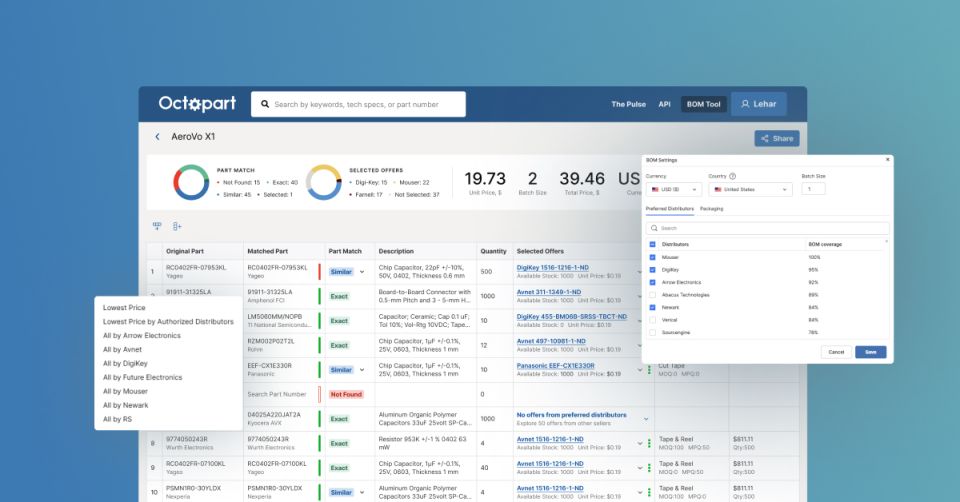
Learn how to use Octopart’s BOM Tool to find the best component prices, compare suppliers, and simplify your sourcing workflow.
阅读文章
PCB Design Data Management Tips for Multi-Board Projects
10 min
Blog
PCB 设计工程师
工程经理
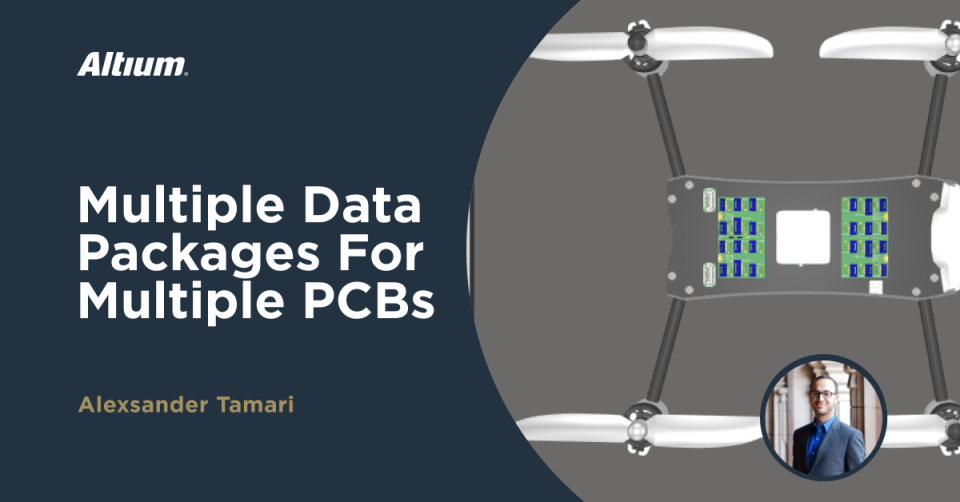
Projects with multiple PCBs require multiple data packages to produce individual boards, and an assembly-level package with all the components incorporated.
阅读文章
6 Areas Your PCB Design Reviews Should Focus On
10 min
Blog
PCB 设计工程师
电气工程师
工程经理
Turn PCB design reviews into actionable decisions by aligning requirements, supply chain data, and manufacturability early in the process.
阅读文章
What Is BOM Management? A Practical Guide to Avoiding Costly Part Mismatches
9 min
Guide Books
PCB 设计工程师
采购经理
电气工程师
Streamline BOM management. Discover how real-time data, collaboration, and automation simplify procurement, reduce risks, and enhance PCB design efficiency.
阅读文章
4:23
BOM Portal Supplier Data Export
4 min
Videos
+1
PCB 设计工程师
Project Leads
电气工程师
工程经理
Altium 365 Bom Portal allows you to upload or create a Bill of Materials for an existing managed design. It can also export an Excel BOM that contains the data from multiple suppliers, including prices. To begin, create a BOM document, and display some favored suppliers for a part. Next, open Excel and create a BOM template using the demonstrated special column queries, before saving and uploading the file into the BOM Portal in Altium Designer. Finally, refresh the page and download the file to view the prices easily for the chosen suppliers and data.
阅读文章
3:20
Component Tracing
4 min
Videos
+1
PCB 设计工程师
Project Leads
电气工程师
工程经理
This video demonstrates how to use the Altium 365 Component Library to see who created or modified a component in the web interface. It also shows users how to create a list of all components a particular user has created or modified and how to export such a list. To begin, the video uses a capacitor component type to view it's lifecycle, parameters, and models. Also shown are the revisions made to the component, it's history, and who created and revised it. This information is available in Altium Designer in the Components Panel and the Explorer Panel, where the creation data for the part is used to create a list of components by a specific user.
阅读文章
Pagination
First page
« First
Previous page
‹‹
页面
17
当前页面
18
页面
19
页面
20
页面
21
页面
22
Next page
››
Last page
Last »












 沪公网安备 31010502006411号