












How to Find Alternate Electronic Components with Octopart: A Practical Guide

At a Glance
Quickly find alternate electronic components with smart filters, specs comparison, and sourcing tips to keep your design on track.


In the world of electronic design, sourcing alternate or substitute parts is often a necessary - and sometimes urgent - task. Whether a component is going end-of-life, facing supply chain issues, or you just need something with better specs, having a reliable method to find alternatives is critical.
In Part 1 of our video series, electronics expert Phil Salmony walks through how to use Octopart to streamline this process. In this post, we’ll break down the key takeaways so you can follow along or refer back when you’re ready to search smarter.
Why You Might Need Alternate Parts
If you're working with electronic hardware, you've likely run into one of these situations:
- A component in your design is no longer recommended for new designs (NRND) or is end-of-life (EOL).
- You want to improve certain specifications, like voltage rating or dielectric properties.
- You’re trying to future-proof your design for easier sourcing down the line.
In this tutorial, Phil uses a micro quadcopter PCB project as an example, focusing on finding replacements for 10µF 0603 SMD ceramic capacitors. It’s a perfect use case for showing Octopart’s search and filter capabilities in action.
Step-by-Step: Using Octopart to Find a Replacement Capacitor
1. Know What You’re Replacing
The original component:
- Capacitance: 10µF
- Package: 0603 (Imperial)
- Dielectric: X5R
- Voltage Rating: 10V
- Tolerance: ±20%
2. Use Octopart’s Part Categories
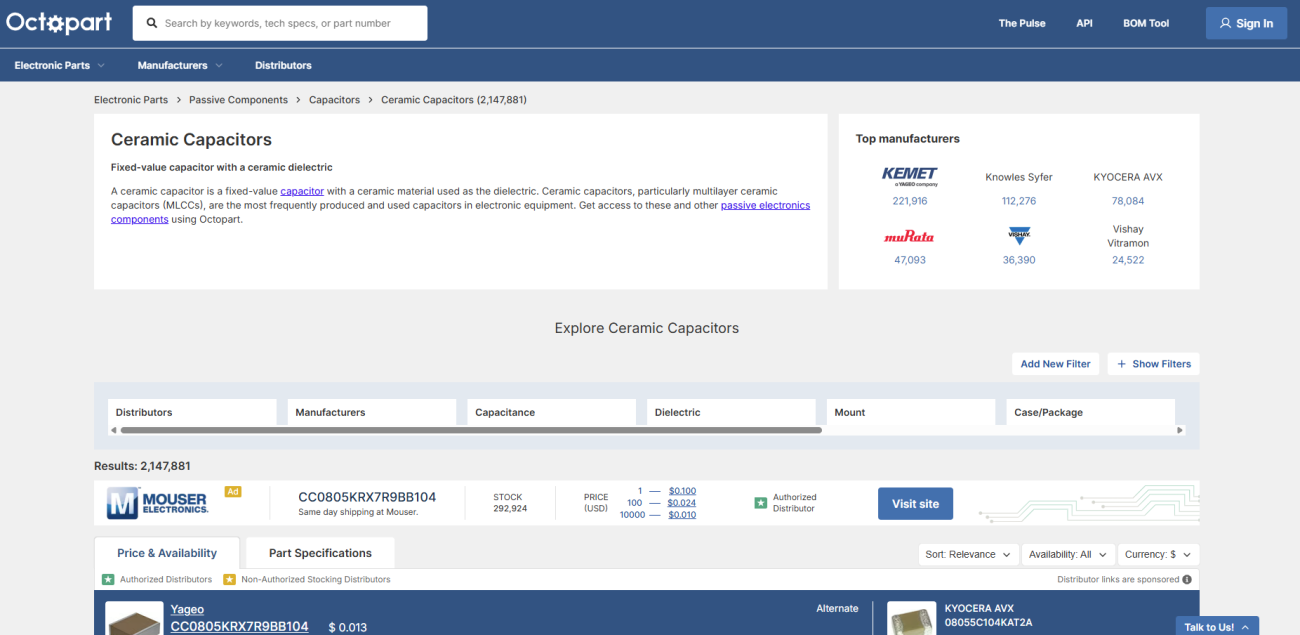
Instead of manually searching across multiple distributors and manufacturer websites, start at Octopart’s homepage and navigate through:
- Electronic Parts → Passive Components → Capacitors → Ceramic Capacitors
3. Apply Filters Strategically
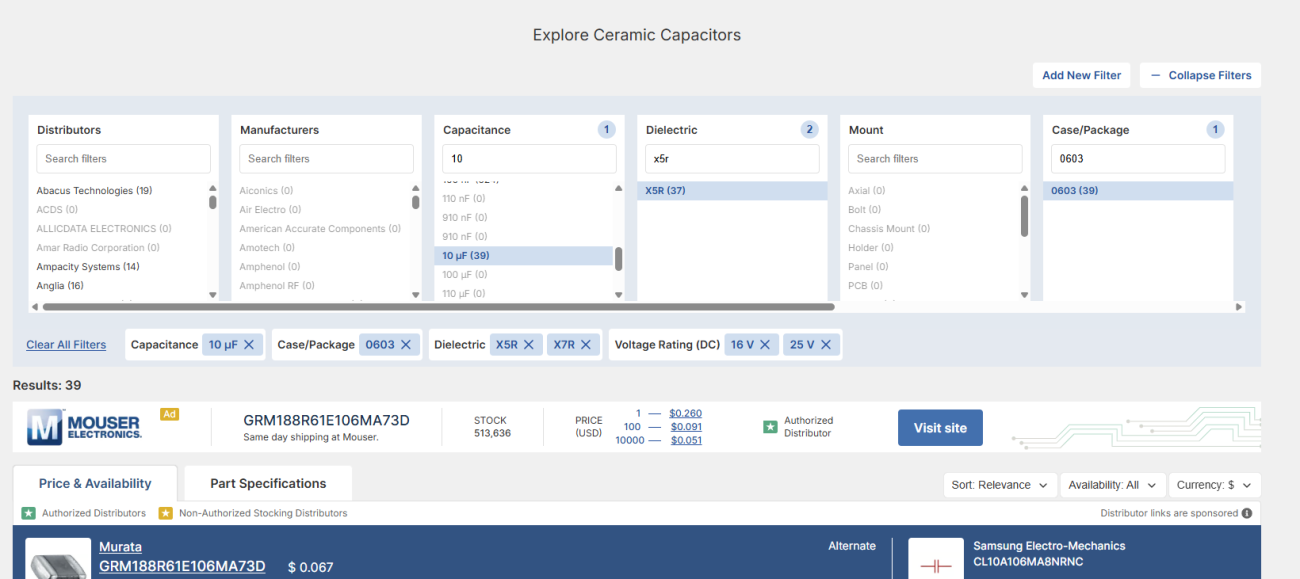
Octopart’s filter system is intuitive and powerful. For this example:
- Set Capacitance to 10µF
- Choose Dielectric Types like X5R or X7R
- Set the Package Size to 0603
- Adjust the Voltage Rating filter - aiming for at least double the expected voltage in your circuit (e.g., choose 16V or 25V if your circuit uses 5V)
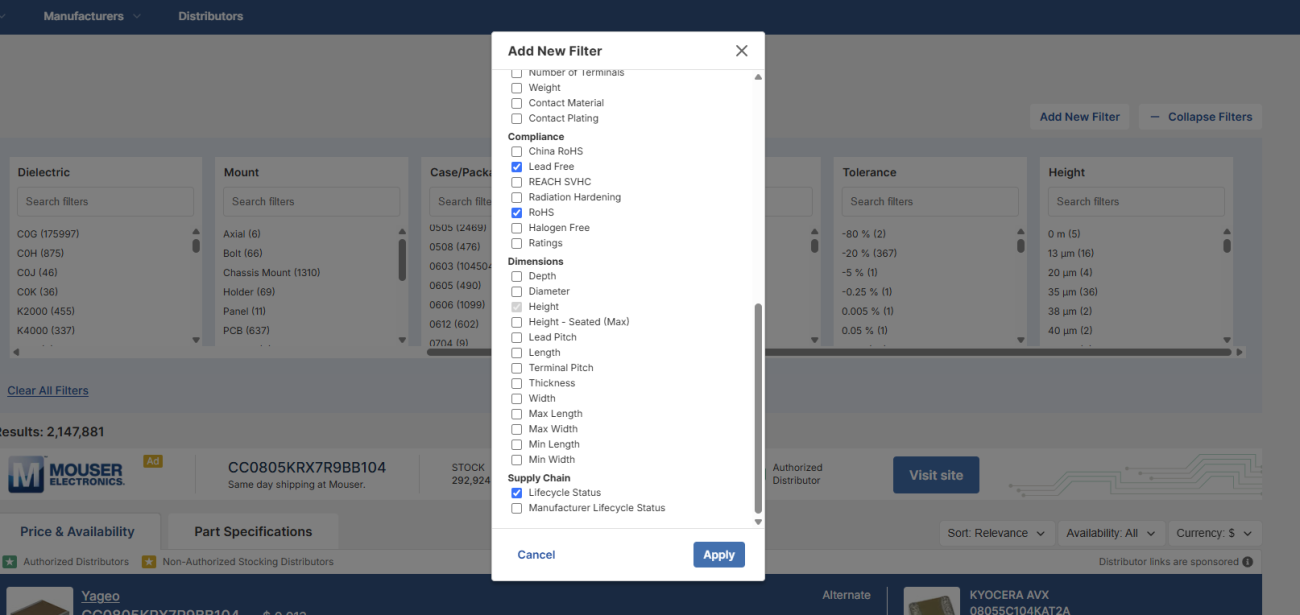
You can also add filters for:
- Lifecycle status
- Lead-free or RoHS compliance
- Operating temperature, ESR, etc.
4. Review and Compare Options
Once your filters are in place:
- Sort results by lowest price or availability.
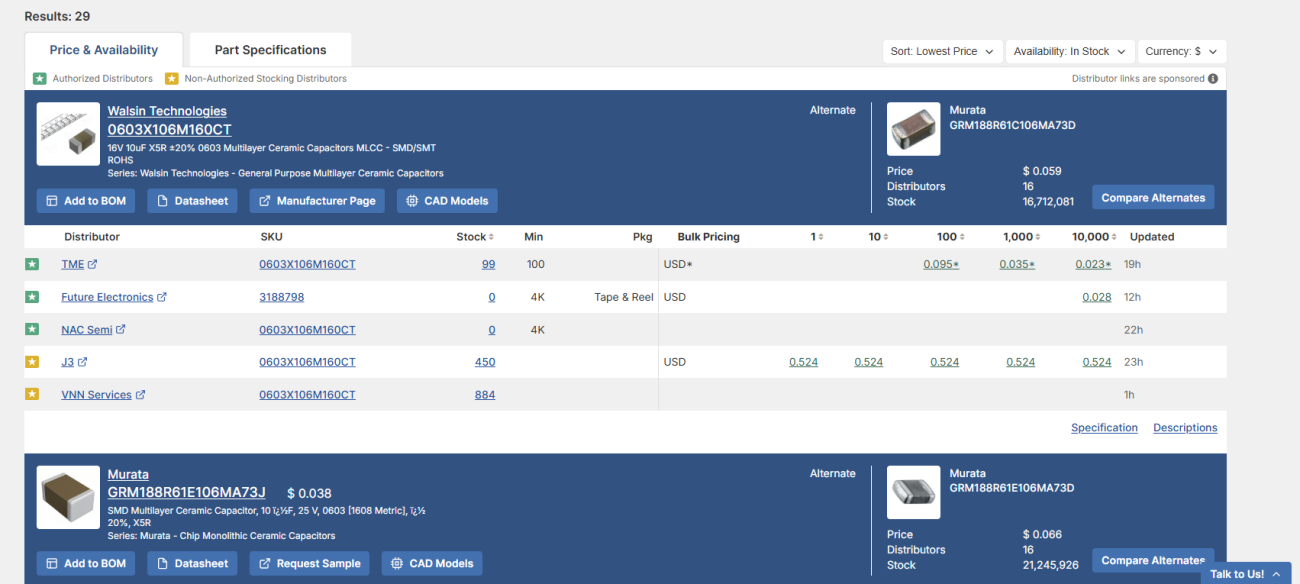
- Compare key specs and availability across multiple distributors.
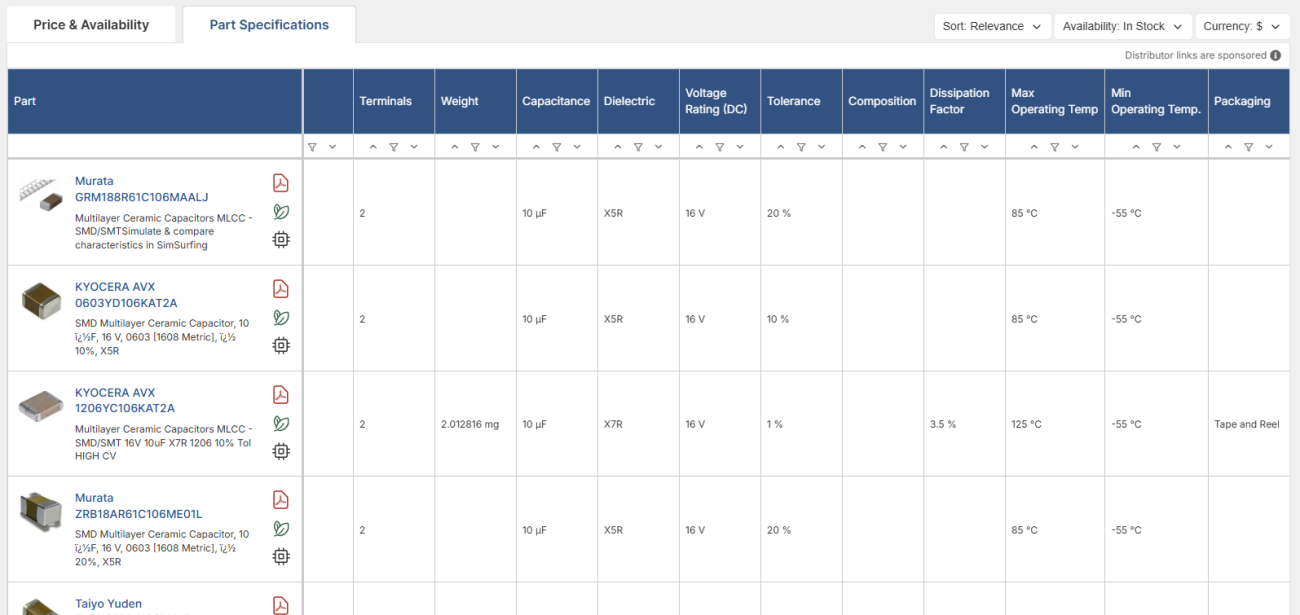
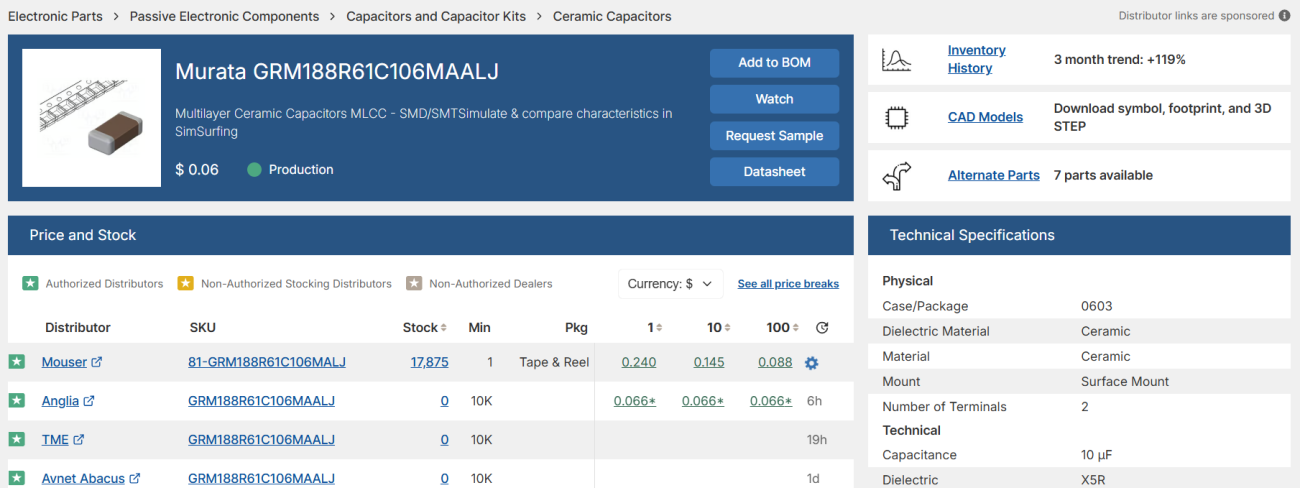
Phil selects a Murata GRM-series capacitor, which checks all the boxes: higher voltage rating, in-stock availability, and production status.
- Use the data sheet links, CAD models, and comparison tools to verify suitability.
Importing the Part into Altium Designer
After identifying the part, it’s easy to bring it into your design environment:
- Use Manufacturer Part Search in Altium Designer.
- Paste the selected part number from Octopart.
- Download the symbol and footprint directly.
- Place and connect the component in your schematic and layout.
Tips for Selecting the Right Capacitor
Keep in mind that choosing the right substitute goes beyond basic specs:
- Check derating curves for DC bias effects on capacitance.
- Watch impedance and ESR for high-frequency or switching applications.
- Ensure lifecycle support for long-term availability.
Always take the time to perform necessary calculations or simulations before finalizing a part.
Final Thoughts
Octopart makes sourcing alternate parts remarkably easy. By consolidating distributor and manufacturer data and providing intuitive filters, it saves engineers valuable time and effort, especially when speed and reliability are critical.
Learn how to find alternate inductors in Part 2 of our Octopart video series—watch it here!
Try Octopart today and keep your next project on track—with smarter sourcing from day one.

关于作者
Related Technical Documentation
相关资源
目录
- Why You Might Need Alternate Parts
- Step-by-Step: Using Octopart to Find a Replacement Capacitor
- 1. Know What You’re Replacing
- 2. Use Octopart’s Part Categories
- 3. Apply Filters Strategically
- 4. Review and Compare Options
- Importing the Part into Altium Designer
- Tips for Selecting the Right Capacitor
- Final Thoughts
Solutions for Every Role and Team
- Discover and evaluate design options earlier
- Develop in one shared workspace
- Scale with control and compliance
- Connect every stage of hardware development
Learn More
Thank you, you are now subscribed to updates.
 沪公网安备 31010502006411号